How to Update Your Chart of Accounts in Odoo

How to Update Your Chart of Accounts in Odoo

Yannis, Odoo Expert
5 min read

Table of Contents

Why Use Spreadsheet Import for Chart of Accounts

Editing accounts one by one in Odoo works for small changes, but companies with large charts of accounts need a faster method. Spreadsheet import lets you make bulk edits and additions in a familiar spreadsheet environment, then push all changes back into Odoo at once.

Step 1: Export Your Current Chart of Accounts

Start by exporting your existing accounts from Odoo:
  1. Open the Accounting app
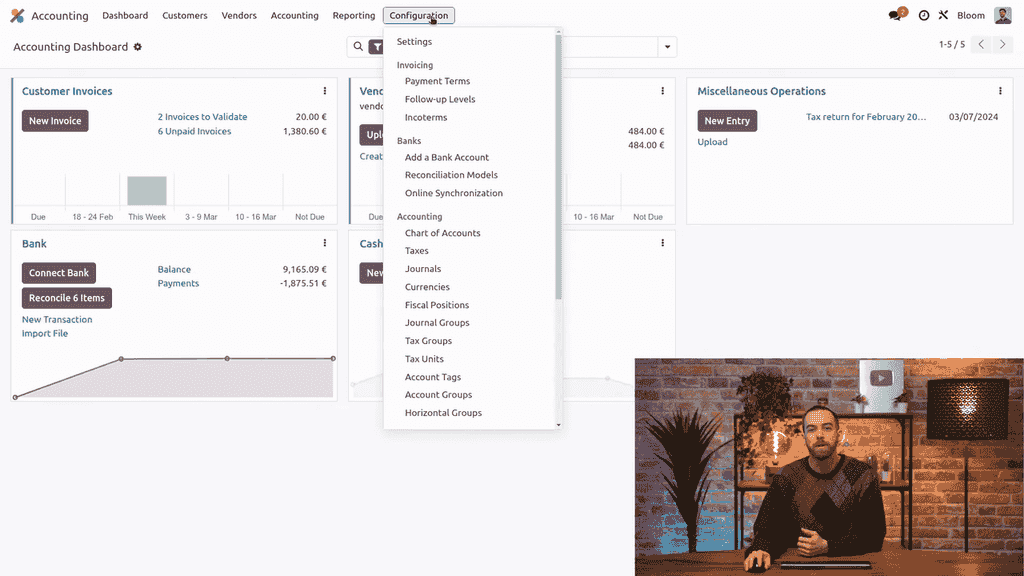
  2. Go to Configuration > Chart of Accounts

Accounting app Configuration menu showing Chart of Accounts option

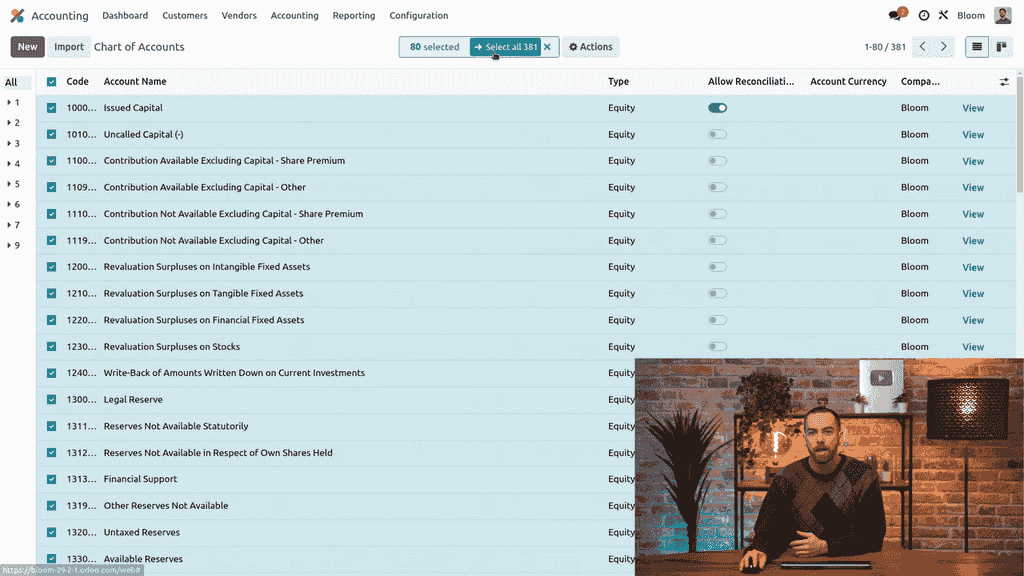
  1. Select all accounts using the top checkbox, then click Select All to include every page

Selecting all accounts in the Chart of Accounts list view

  1. Click Actions > Export

Actions dropdown menu with Export option highlighted

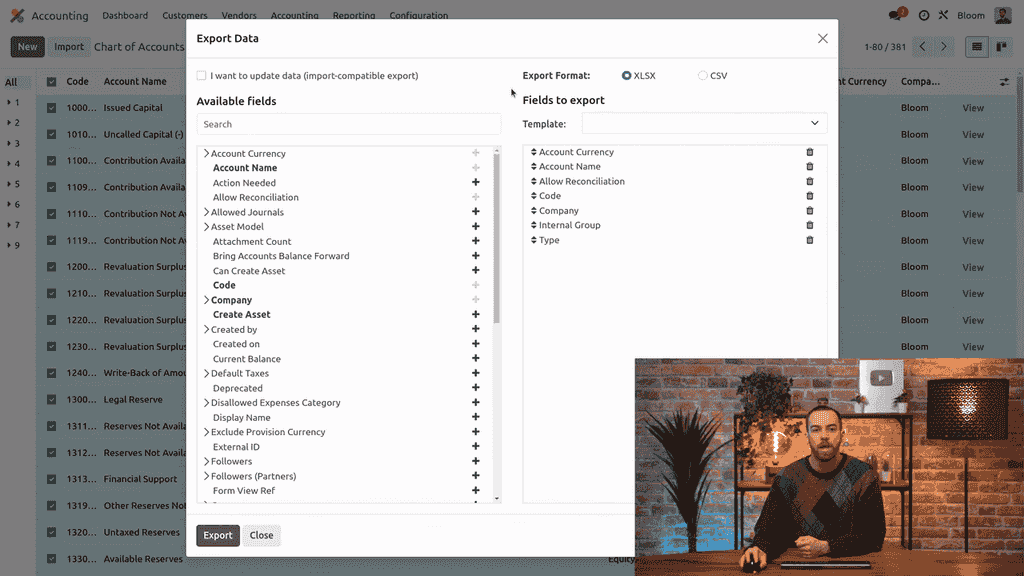
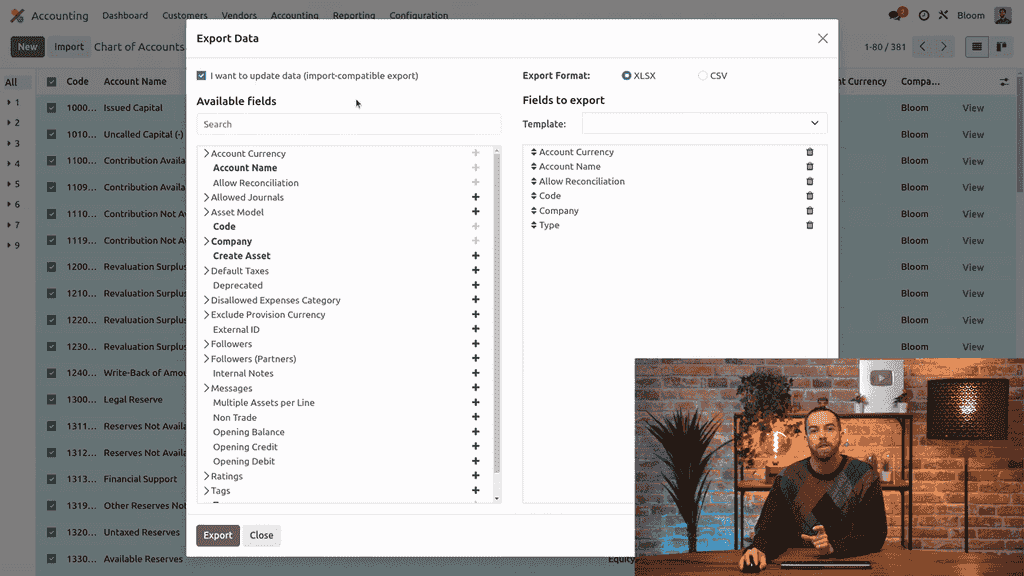
  1. Check the I want to update data checkbox — this ensures you update existing accounts instead of creating duplicates

Export dialog with I want to update data checkbox enabled

Setting Up an Export Template

You can create a reusable export template with just the fields you need:
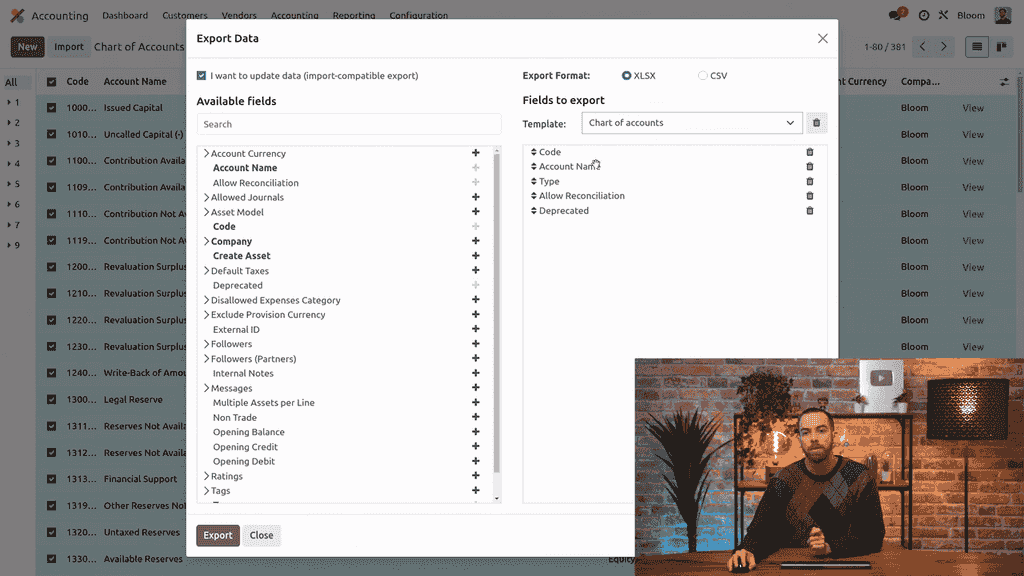
  • Code — the account number
  • Account Name — the display name
  • Type — the account category (e.g., expenses, income)
  • Allow Reconciliation — whether the account supports reconciliation
  • Deprecated — whether the account is inactive

Export template with selected fields: Code, Account Name, Type, Allow Reconciliation, Deprecated

Remove fields with the trash icon or add new ones with the plus icon, then save the template for future use.

Step 2: Edit Accounts in a Spreadsheet

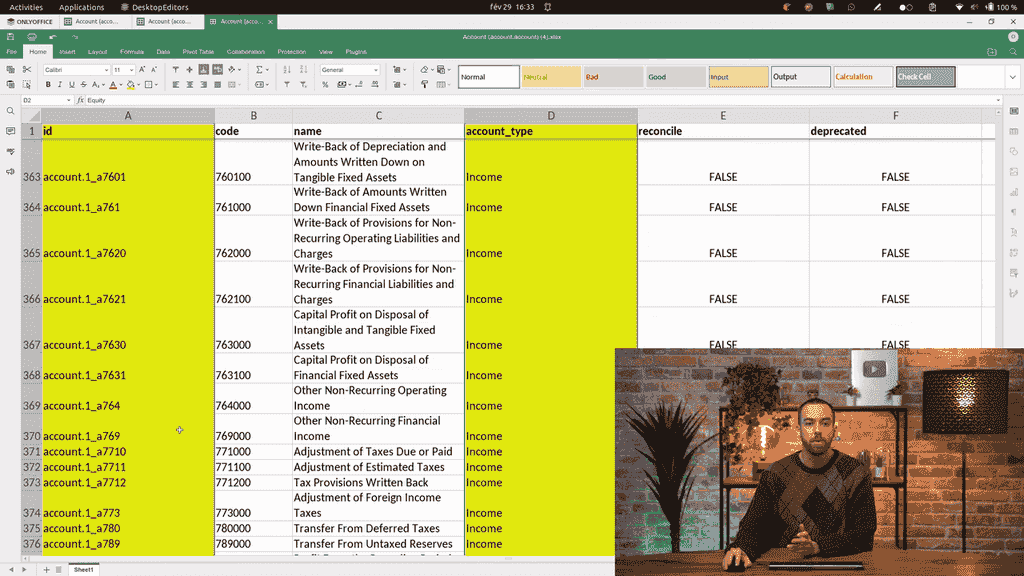
After exporting, open the file in your spreadsheet application. You will see the fields you selected, plus an External ID column that Odoo uses internally.
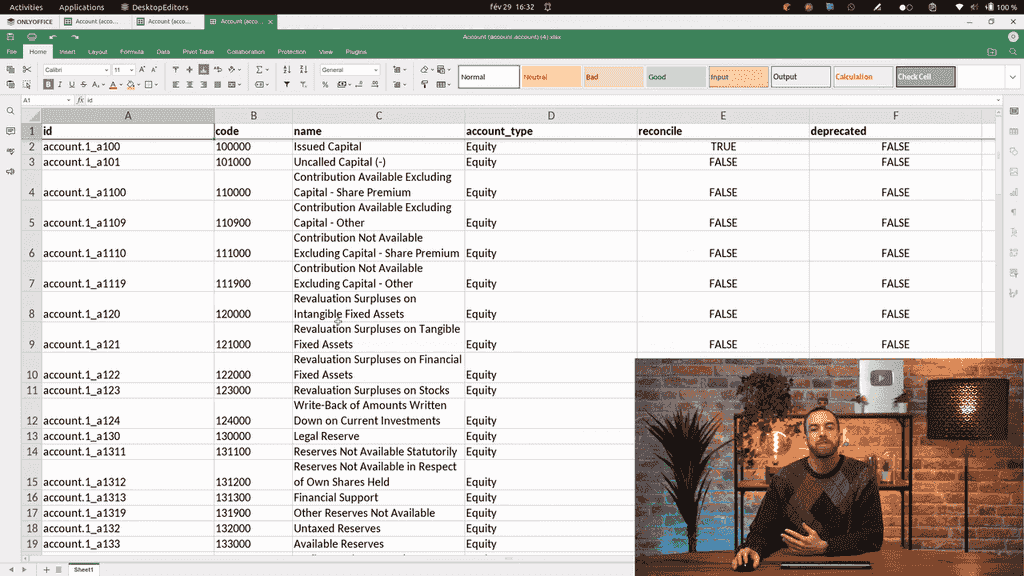
Exported chart of accounts opened in a spreadsheet application

Fields You Should Not Edit

Mark these columns as read-only to avoid accidental changes:
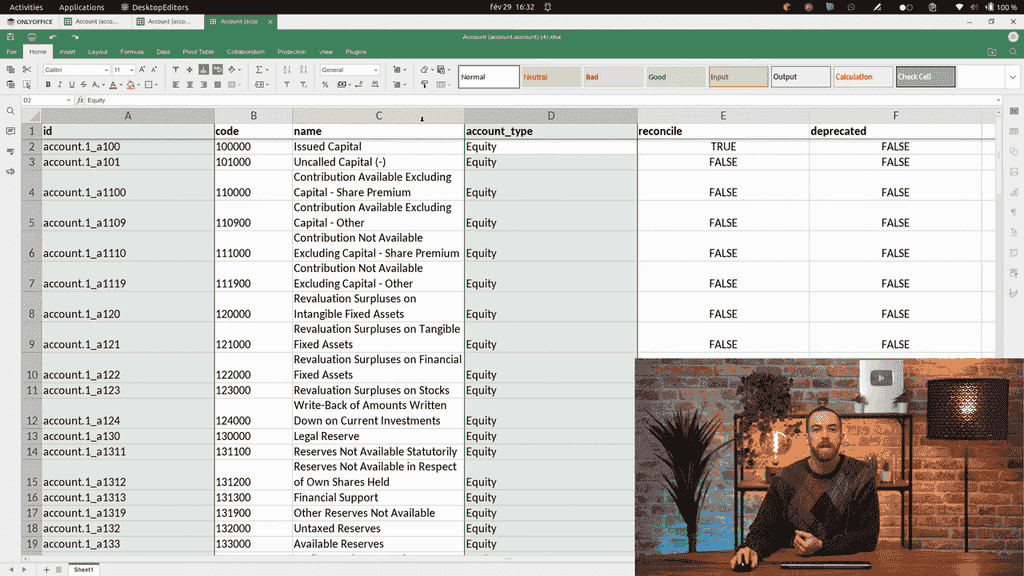
  • External ID — Odoo's internal identifier for existing records
  • Account Type — changing this on existing accounts can cause reporting errors

Spreadsheet with ID and Account Type columns highlighted as read-only

Editing Account Names and Properties

You can freely edit:

  • Account names
  • Reconciliation settings
  • Deprecated status

Account Code Considerations

Whether you can change account codes depends on your country's accounting standards:

  • Belgium, France, and similar jurisdictions: The first digits of the account code determine how accounts are grouped in reports. Do not change the leading digits.
  • Other countries: Only the account type matters for reporting, so codes can be modified more freely.

Check your local regulations before modifying account codes.

Step 3: Add New Accounts

To add a new account, scroll to the bottom of the spreadsheet and enter:

FieldWhat to Enter
CodeA unique account number
Account NameA descriptive name
TypeThe account category (e.g., Expenses)
Allow ReconciliationTRUE or FALSE
DeprecatedFALSE
External IDLeave blank — Odoo assigns one automatically

New account row added at the bottom of the spreadsheet with fields filled in

Tip: If you are unsure about the account type or reconciliation setting, find the most similar existing account and copy its configuration.

Step 4: Deprecate Unused Accounts

If you no longer need certain accounts, set the Deprecated column to TRUE instead of deleting them. Deleting accounts that have been used in journal entries can cause error messages.

Step 5: Import the Updated Spreadsheet

Once your edits are complete:

  1. Save the spreadsheet file
  2. In Odoo, go to the Chart of Accounts list view
  3. Click the Import button
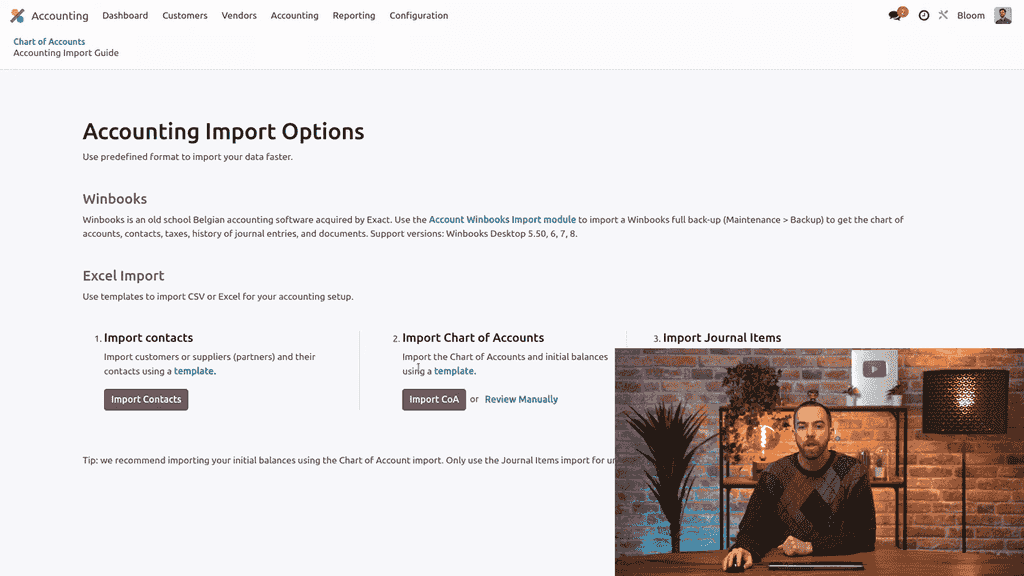
  4. Select Import Chart of Accounts

Import options showing Import Chart of Accounts selection

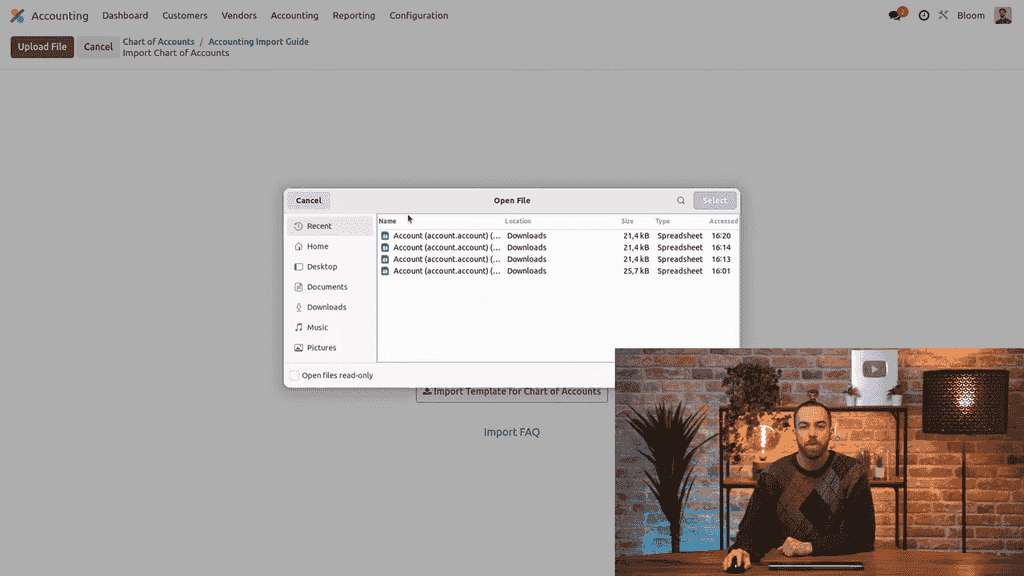
  1. Click Upload File and select your spreadsheet

Upload file dialog for importing the spreadsheet

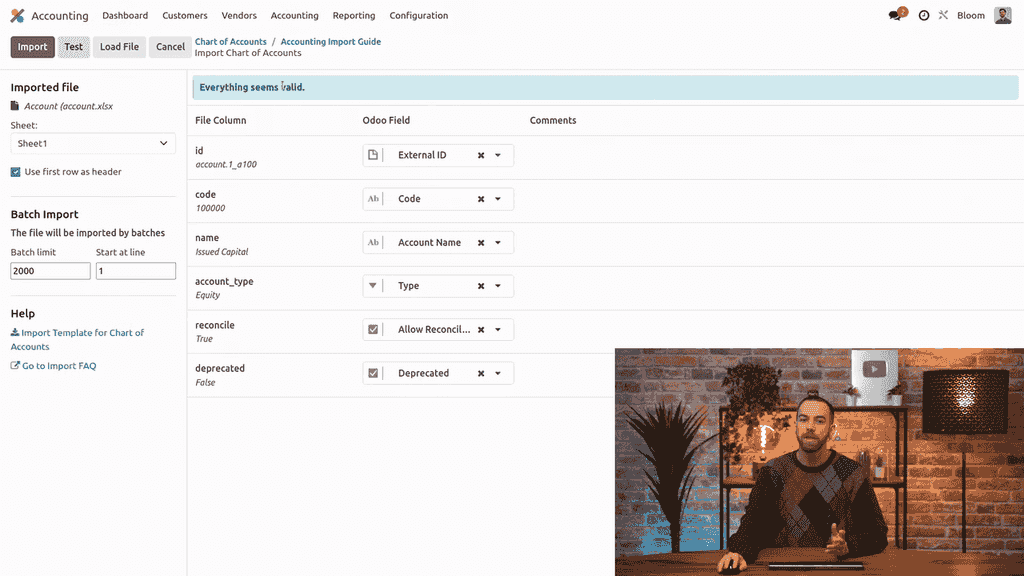
  1. Wait for the validation message — a blue "Everything seems valid" confirmation means your data is clean

Blue validation message showing Everything seems valid

  1. Click Import

After importing, browse your chart of accounts to verify that all changes were applied correctly.
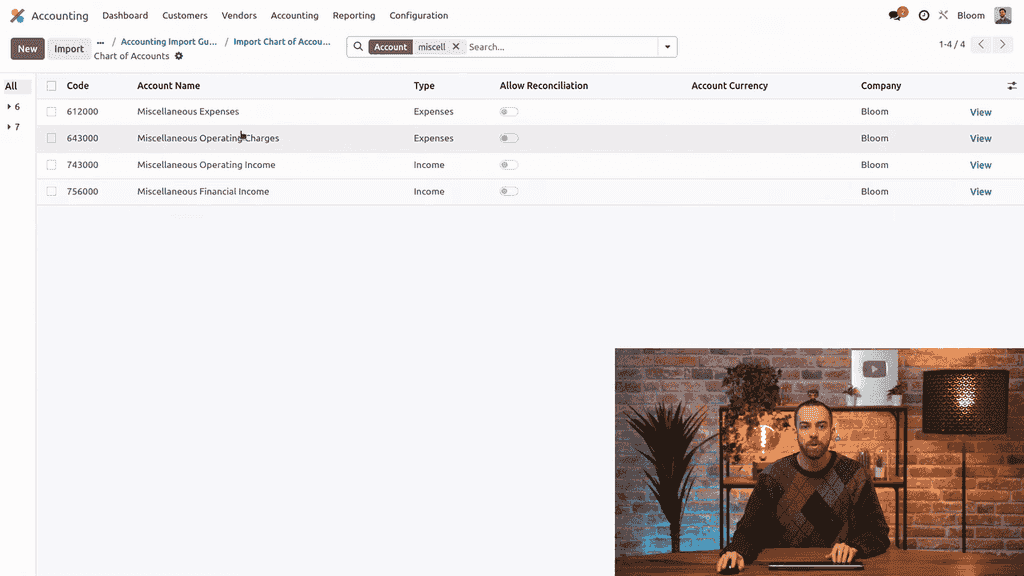
Chart of accounts showing the newly imported miscellaneous expenses account

Important: Do Not Modify the Current Year Earnings Account

Odoo includes a special account with the type Current Year Earnings. This account automatically sums all income and expense accounts at the end of the fiscal year. Follow these rules:

  • Do not rename, deprecate, delete, or modify this account
  • Do not create a second account with the same type

Tampering with this account will break your year-end closing process.

Summary

Bulk updating your chart of accounts with spreadsheet import saves significant time compared to editing accounts individually. The key steps are:

  1. Export with the "I want to update data" option enabled
  2. Edit names, reconciliation, and deprecation status in a spreadsheet
  3. Add new accounts at the bottom with unique codes
  4. Deprecate unused accounts instead of deleting them
  5. Import the file back into Odoo and verify

This approach keeps your chart of accounts accurate and up to date without the tedium of one-by-one edits.


References

Tags

OdooAccountingChart of AccountsImportSpreadsheet
Professional businesswoman working with data and analytics in modern office environment

Need Help with Odoo Implementation in Hong Kong?

Zoo AI is a certified Odoo partner in Hong Kong, delivering expert ERP implementation and AI automation for SMEs. Get in touch to learn more.