Table of Contents
What Is Odoo Project?
Odoo Project is an all-in-one project management tool that lets you plan, track, and deliver projects from start to finish. Whether you are managing production schedules, client deliverables, or internal workflows, Odoo Project provides Kanban boards, Gantt charts, time tracking, automation, and real-time dashboards in one integrated application.
Creating a Project
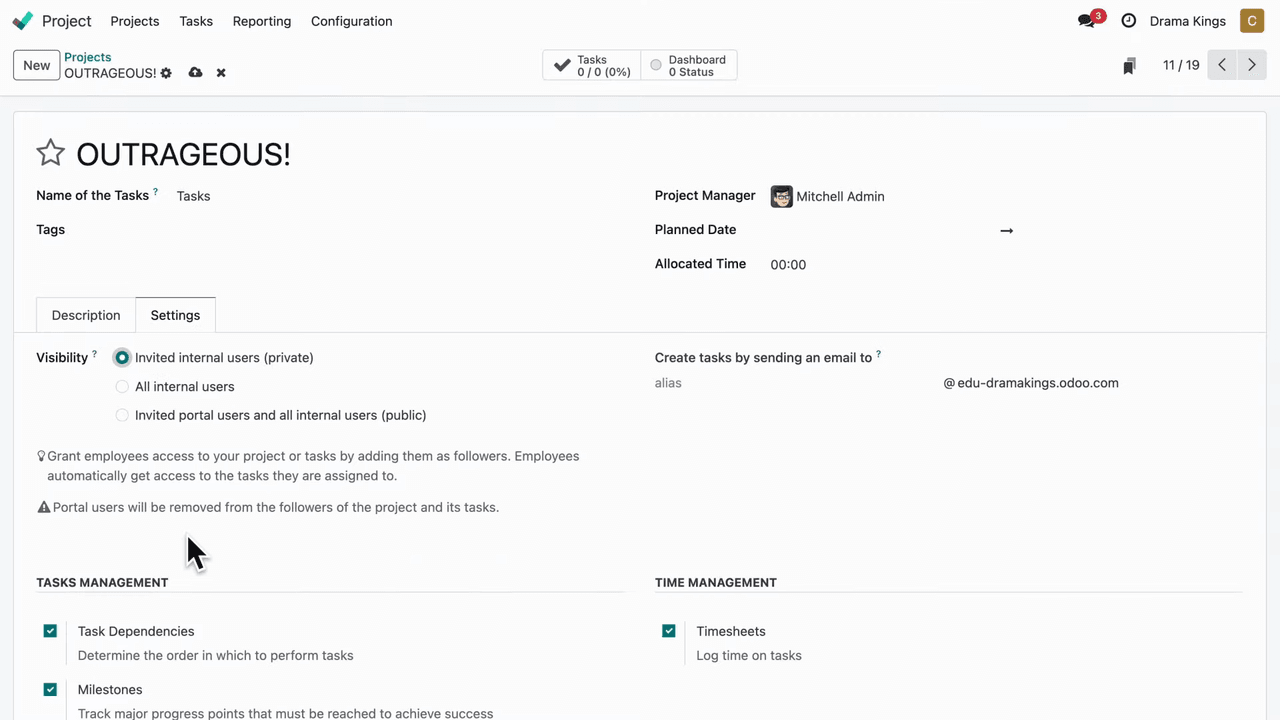
Setting up a new project takes just a few clicks:
- Assign a project manager — Designate the person responsible for overseeing the project
- Set start and end dates — Define the project timeline so your team knows the schedule
- Mark priority — Flag high-priority projects so they stand out in your project list
- Add followers — Add stakeholders as followers so they receive notifications for every change
Visibility and Access Control
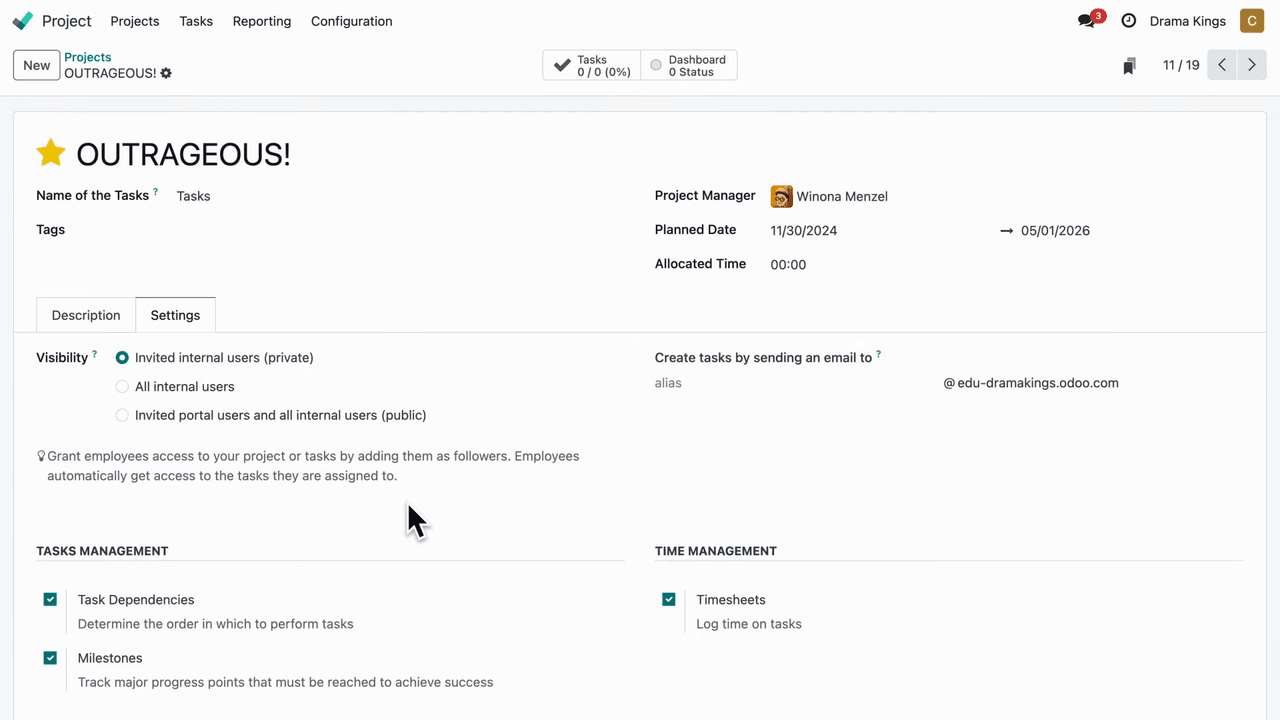
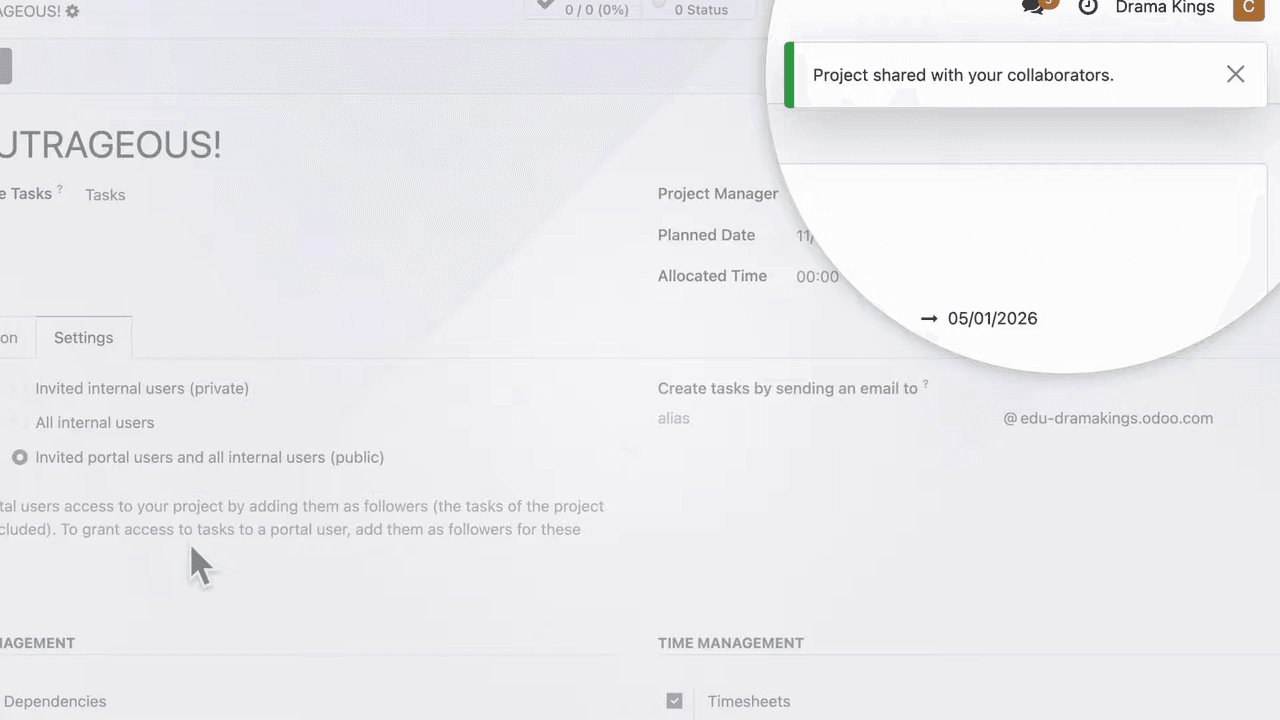
Odoo Project gives you full control over who can see and access your project:
- Internal visibility — Restrict access so only selected team members can view the project
- Invite external users — Grant access to external stakeholders such as investors or clients, allowing them to collaborate without being part of your organization
Kanban View for Task Management
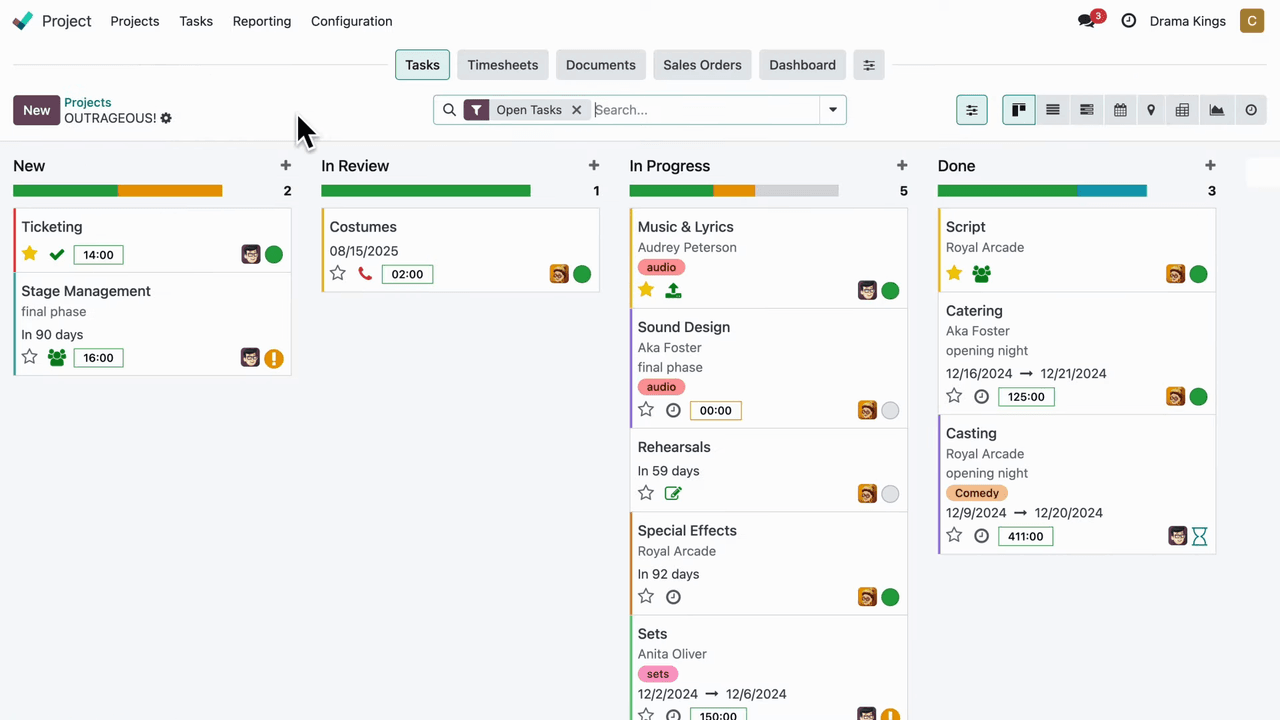
The Kanban view is the default way to visualize your project. You organize tasks into customizable stages that represent your workflow.
- Create stages — Define stages like "To Do," "In Progress," "Review," and "Done" to match your process
- Drag and drop — Move tasks between stages as they progress
- Status indicators — See at a glance whether a task is on track, blocked, or completed using color-coded status labels
Gantt View for Time-Based Planning
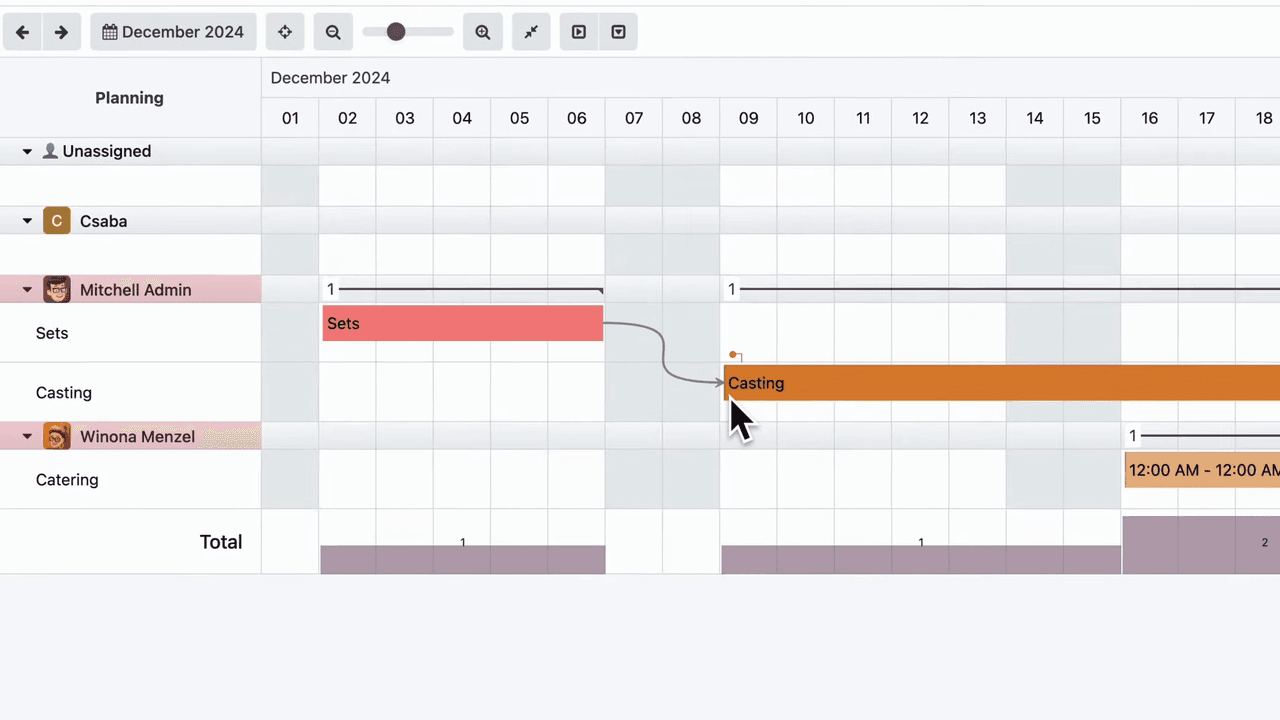
For projects that depend heavily on scheduling and deadlines, the Gantt view provides a timeline-based layout:
- Visual timeline — See all tasks plotted on a horizontal timeline
- Adjust deadlines — Drag task bars to push deadlines forward or backward
- Task dependencies — Create links between tasks to define which ones must be completed before others can begin
This view is particularly useful for production schedules, construction projects, or any workflow where task sequencing matters.
Breaking Down Tasks with Subtasks
Large tasks can be broken into smaller subtasks to ensure every detail is accounted for:
- Add subtasks — Create child tasks under a parent task to break complex work into manageable pieces
- Track progress — Monitor the completion of subtasks while keeping the main task view organized
- Assign separately — Each subtask can have its own assignee and deadline
Recurring Tasks
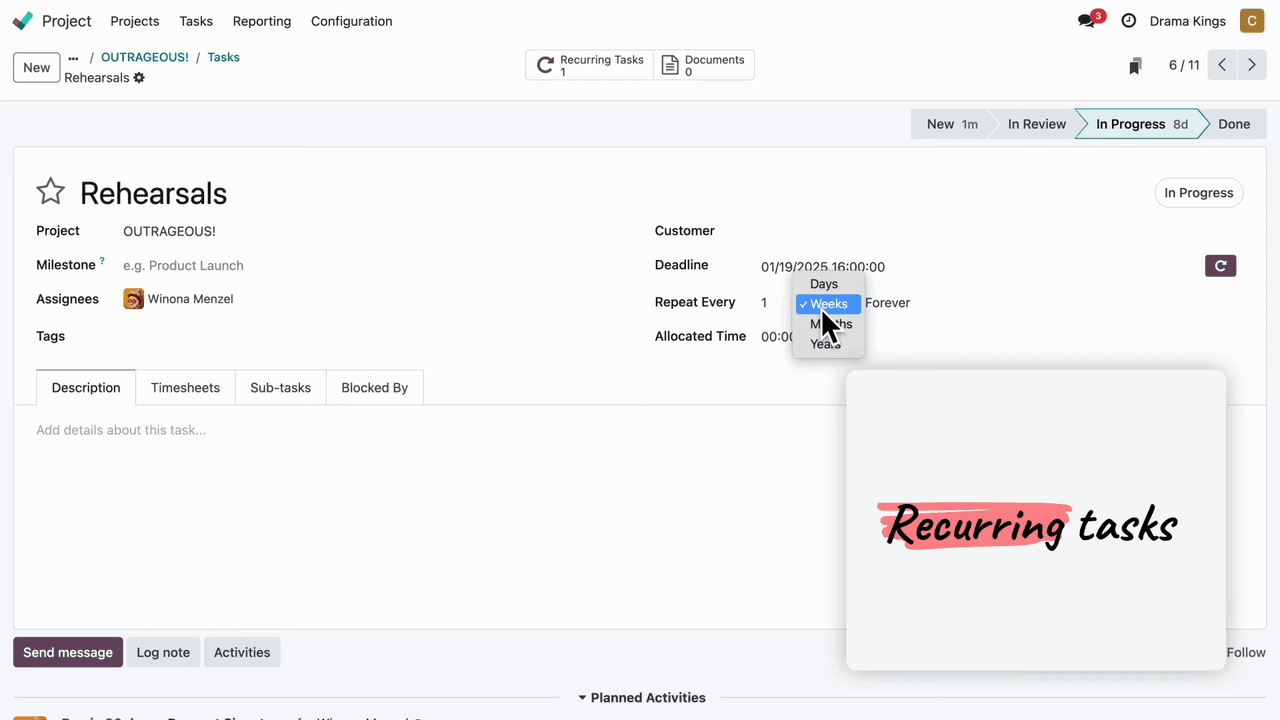
For tasks that repeat on a regular schedule, the recurring feature automates task creation:
- Set frequency — Configure tasks to repeat daily, weekly, monthly, or on a custom schedule
- Automatic creation — Odoo generates the next occurrence automatically so you never forget routine work
Automation Rules
Automation rules let you eliminate repetitive manual actions:
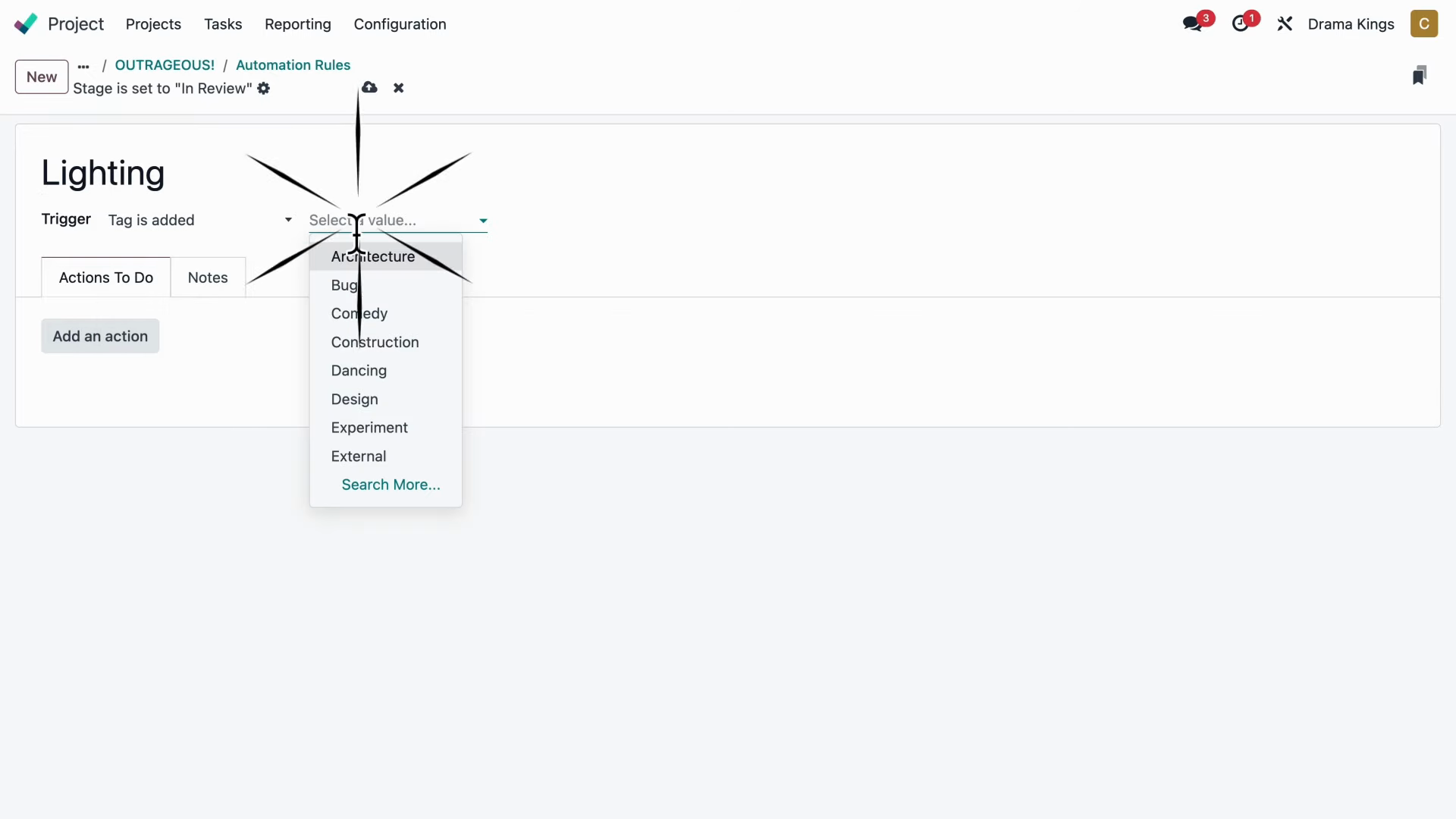
- Tag-based triggers — When a specific tag is added to a task, Odoo can automatically assign a follower, change the stage, or notify someone
- Custom actions — Define what happens when the trigger condition is met, such as adding a team member or sending a notification
For example, you could set up a rule so that every time a "Design" tag is added to a task, your lead designer is automatically added as a follower.
Activities and Next Steps
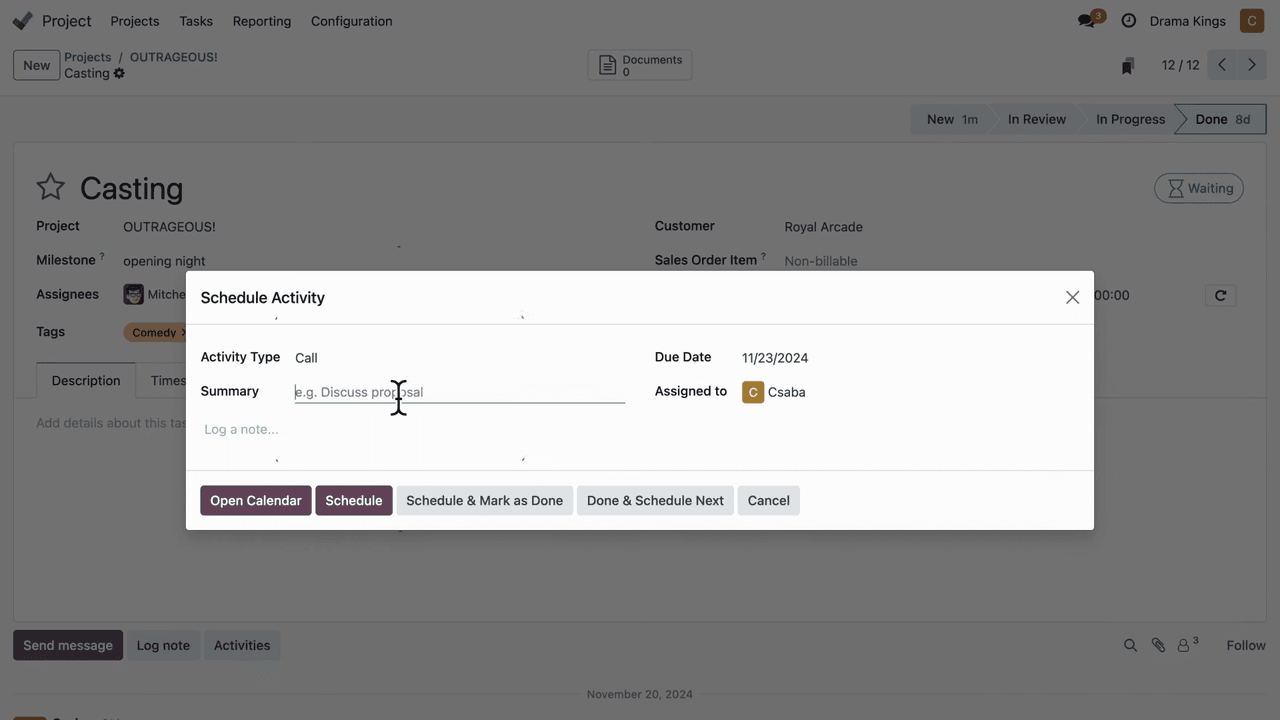
Activities keep your team focused on what needs to happen next:
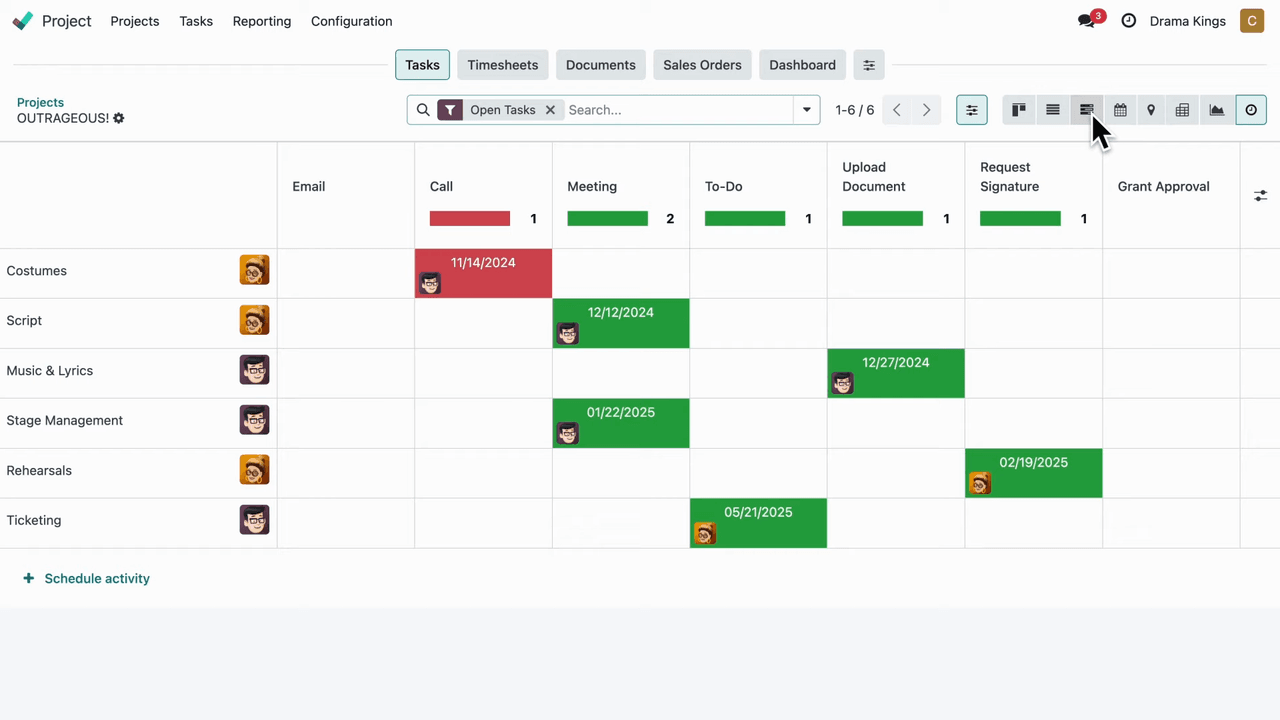
- Schedule activities — Assign next steps like phone calls, meetings, or approvals directly on a task
- Set deadlines — Each activity has its own due date to keep things moving
- Assign to team members — Delegate the activity to the right person
Built-In Time Tracking
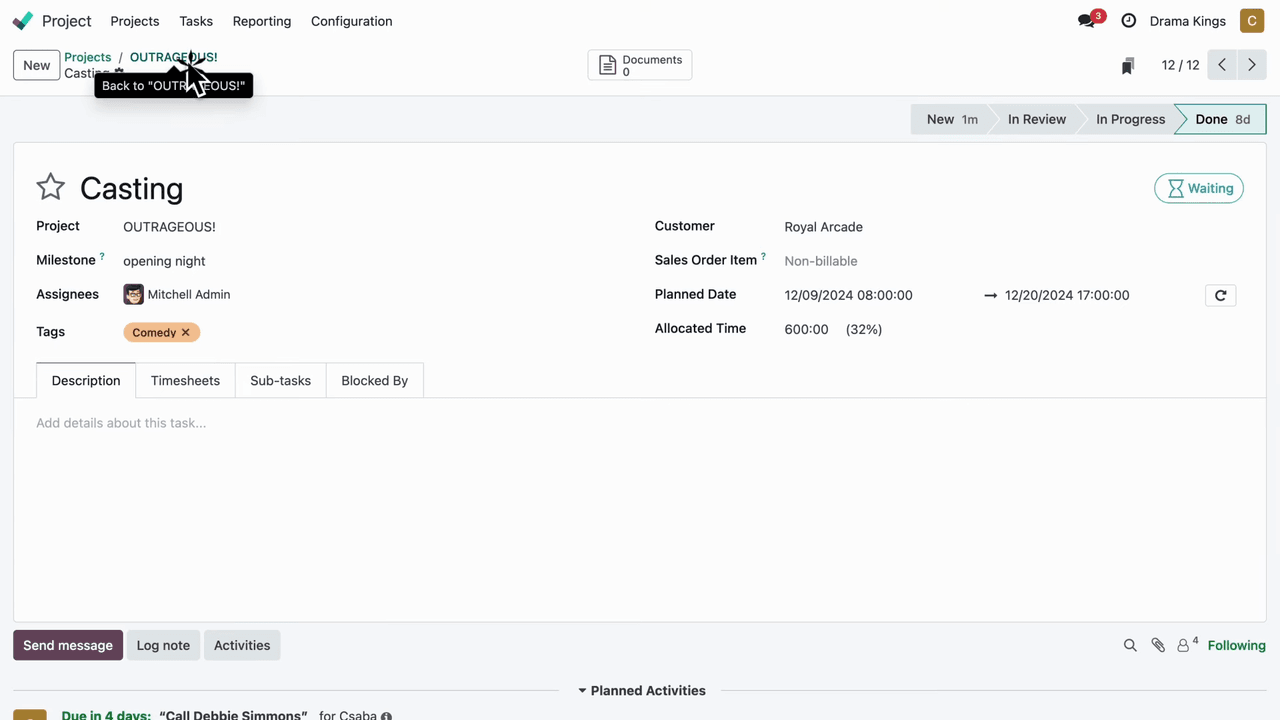
Odoo Project includes time tracking so your team can log hours directly on tasks:
- Log hours — Team members record time spent on each task
- Monitor productivity — Review time logs to understand how effort is distributed across your project
- Billable invoices — Convert logged hours into invoices for client-facing projects
Customer Ratings
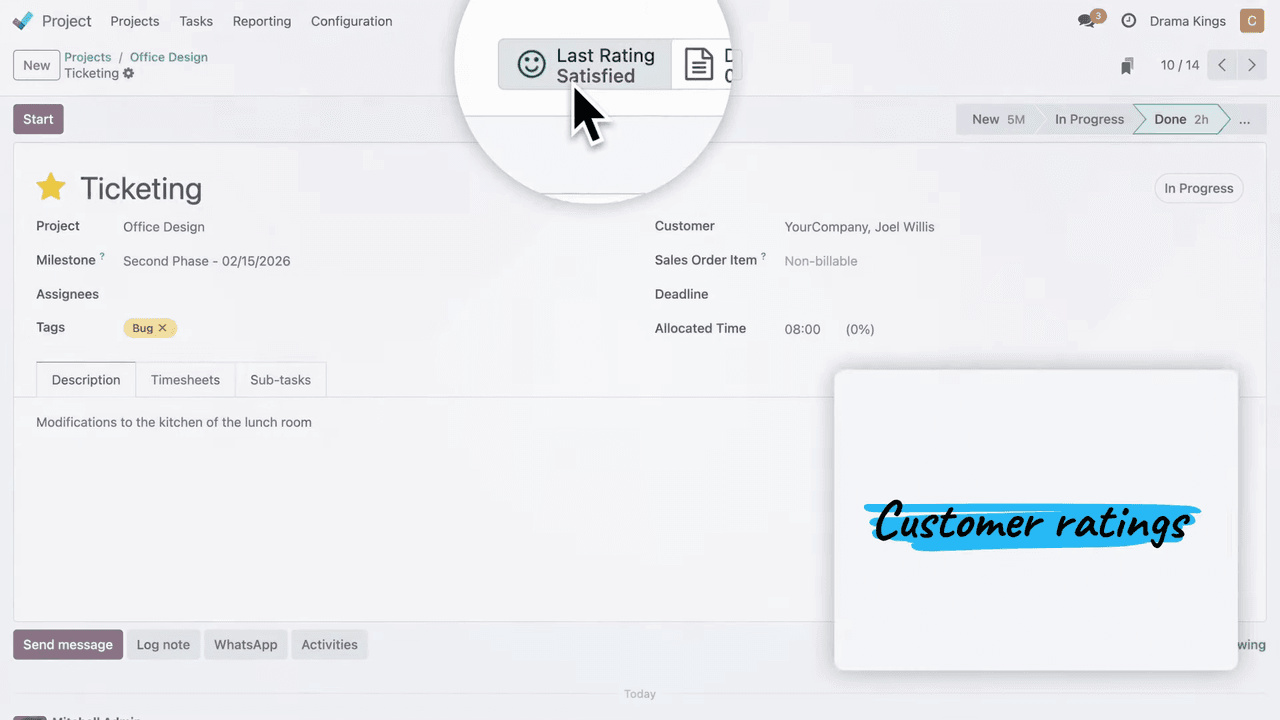
For client-related projects, the customer ratings feature collects feedback:
- Rate completed tasks — Clients can rate tasks once they are done
- Track satisfaction — Use ratings to identify areas where your team can improve
- Continuous improvement — Feedback loops help your team deliver better results over time
Dashboards and Reporting
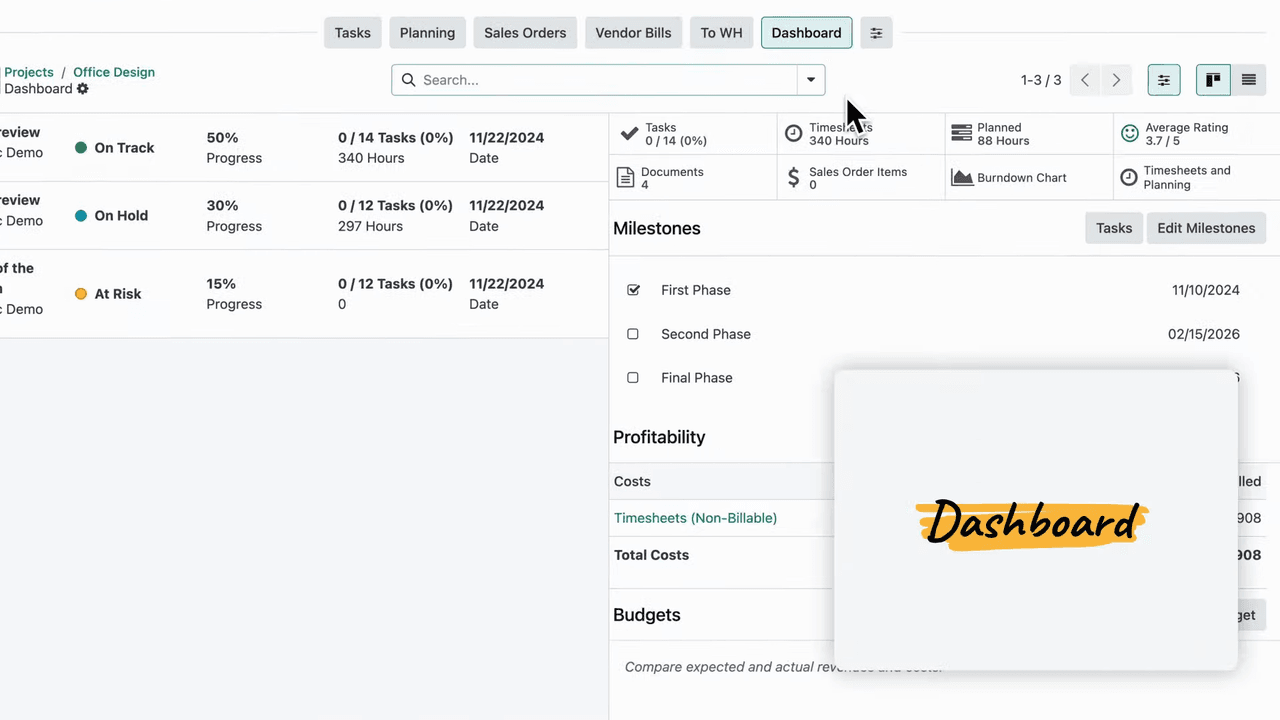
Odoo Project's dashboards give you real-time visibility into project performance:
- Profitability — Track revenue and costs to see if your project is on budget
- Budget monitoring — Compare planned versus actual spending
- Milestones — Set and track key project milestones
- Custom reports — Build reports tailored to your specific metrics
Quick Access with the Top Bar
The app's top bar provides shortcuts to related information without switching apps:
- Timesheets — View time logs for the project
- Documents — Access legal files, contracts, or reference materials
- Materials lists — Review resources needed for the project
- Custom shortcuts — Create your own quick links to frequently used views
Getting Started
Odoo Project is free to use. You can start managing projects immediately by visiting your Odoo instance and enabling the Project app. With integrated tools for scheduling, timesheets, automation, and reporting, it provides everything you need for successful project management in one place.
References


