How to Manage Bank Transactions in Odoo Accounting

How to Manage Bank Transactions in Odoo Accounting

Yannis, Odoo Expert
3 min read

Table of Contents

Why Bank Transaction Reconciliation Matters

One of the fundamentals of sound accounting is reconciling payments with bank transactions. This ensures your bank records match your accounting entries, keeping your books accurate and audit-ready.

In Odoo Accounting, there are three ways to get bank transactions into your system: manual entry, file import, and automatic bank synchronization.

Importing Bank Transactions from a File

The quickest way to get started is importing a bank statement file directly.
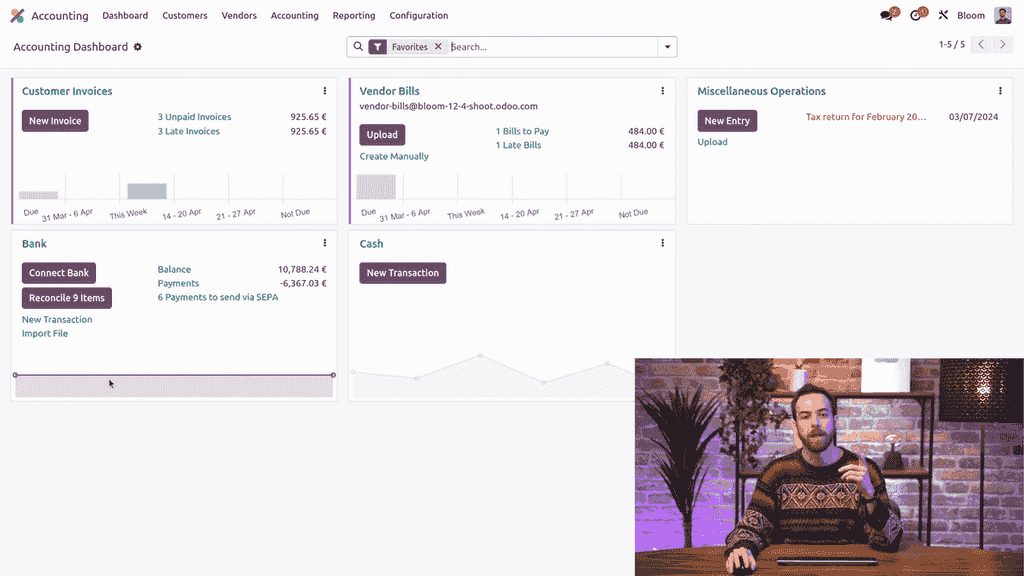
  1. Go to the Accounting Dashboard
  2. Under the Bank journal, click Import File

Accounting dashboard with Import File button highlighted

  1. Select your bank statement file (CSV, OFX, QIF, or CAMT formats)
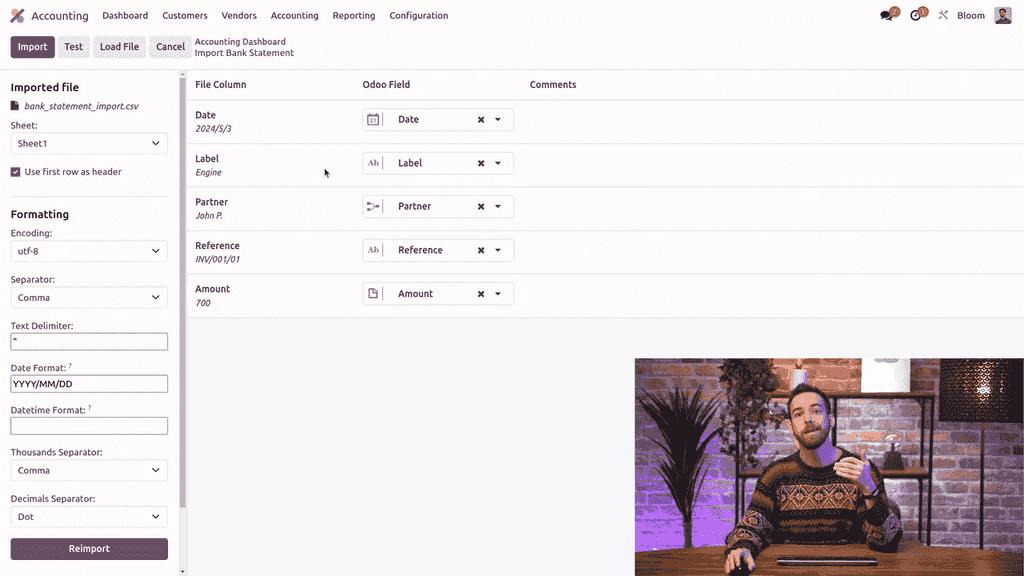
  2. Odoo automatically maps the column names from your file to the corresponding fields in the bank statement model

Column mapping interface showing file fields matched to Odoo fields

  1. Adjust the mapping if needed, then click Test
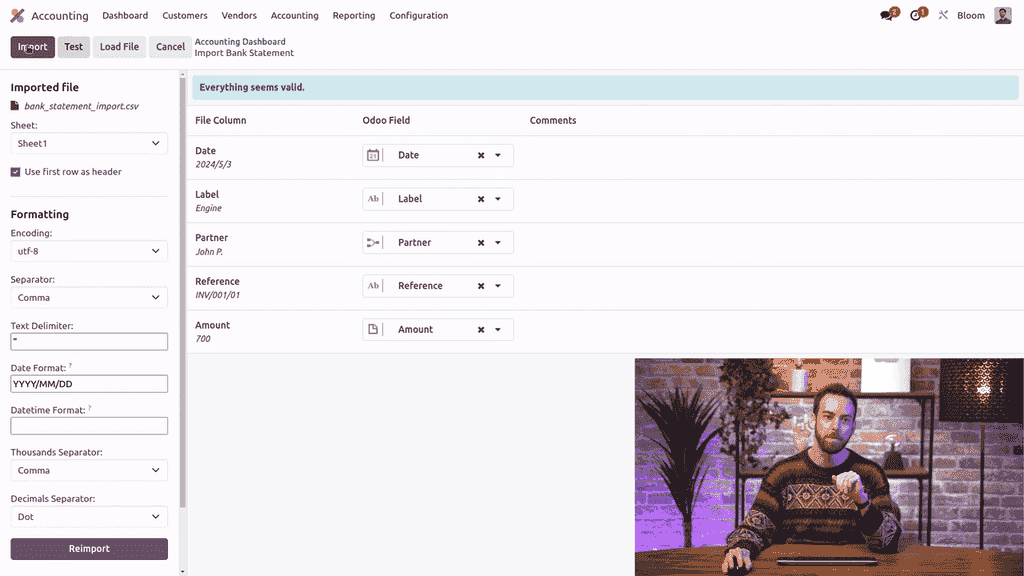
  2. If everything looks valid, click Import

Validation banner showing everything is valid before import

To review your imported statement, click the three-dot menu (kebab menu) on the bank journal and select Statements.
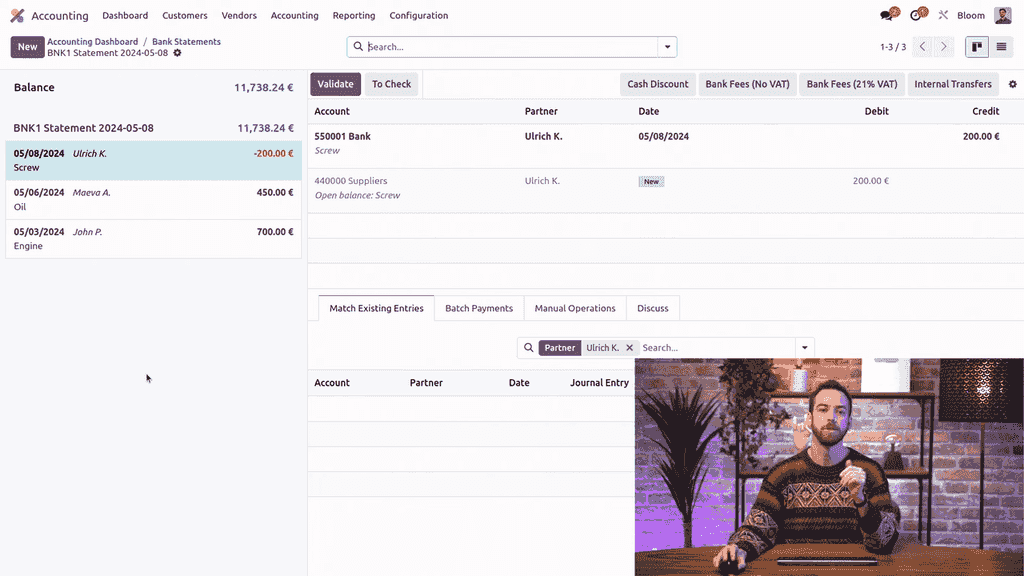
Bank statement view showing imported transactions

Creating Bank Transactions Manually

For one-off entries, you can create individual bank transactions.
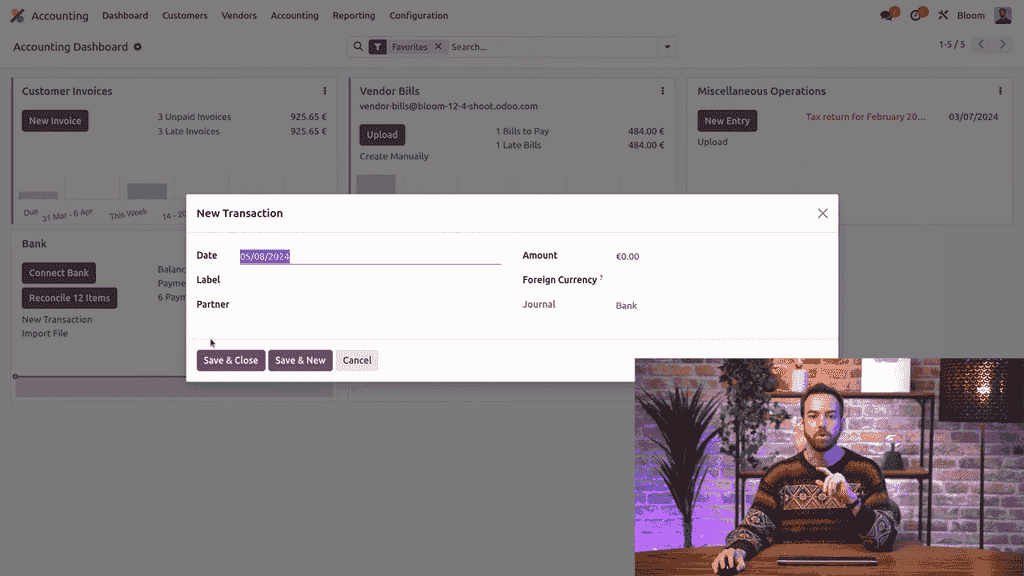
  1. From the Accounting Dashboard, under the Bank journal, click New Transaction

New Transaction button on the bank journal

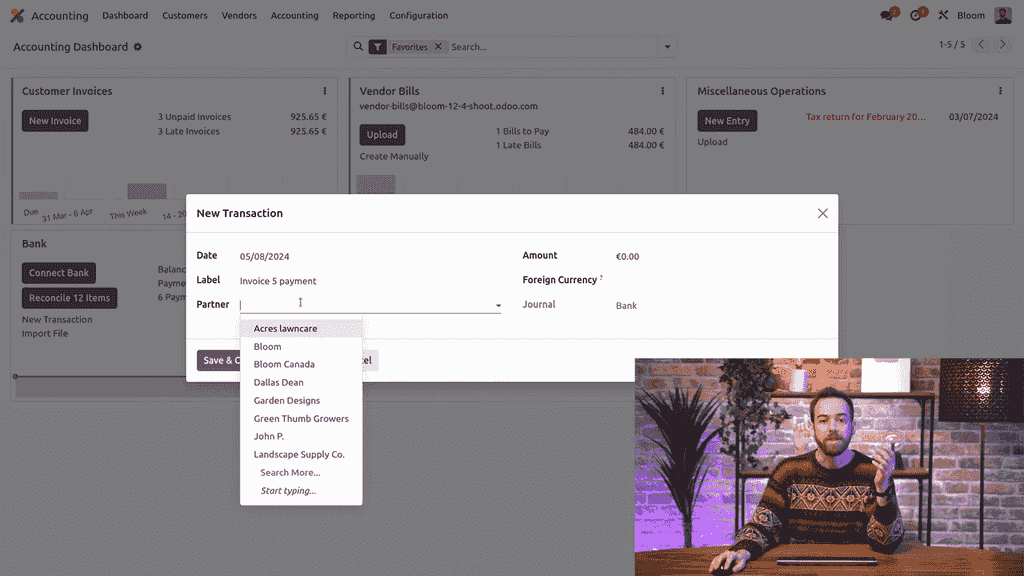
  1. Fill in the details:
    • Date — when the transaction occurred
    • Label — a description (e.g., "Invoice 5 payment")
    • Partner — optional, select the related contact
    • Amount — positive for incoming, negative for outgoing

Manual bank transaction form with fields filled in

  1. Click Save and Close

This method works well for occasional adjustments but is not practical for high transaction volumes.

Setting Up Automatic Bank Synchronization

For hands-free transaction management, connect your bank account directly to Odoo.
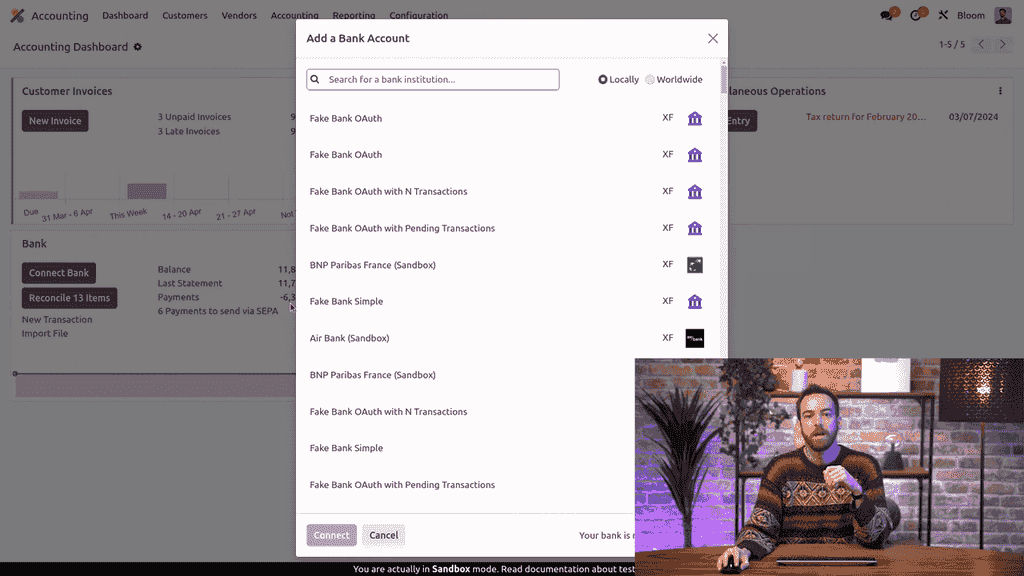
How to Connect

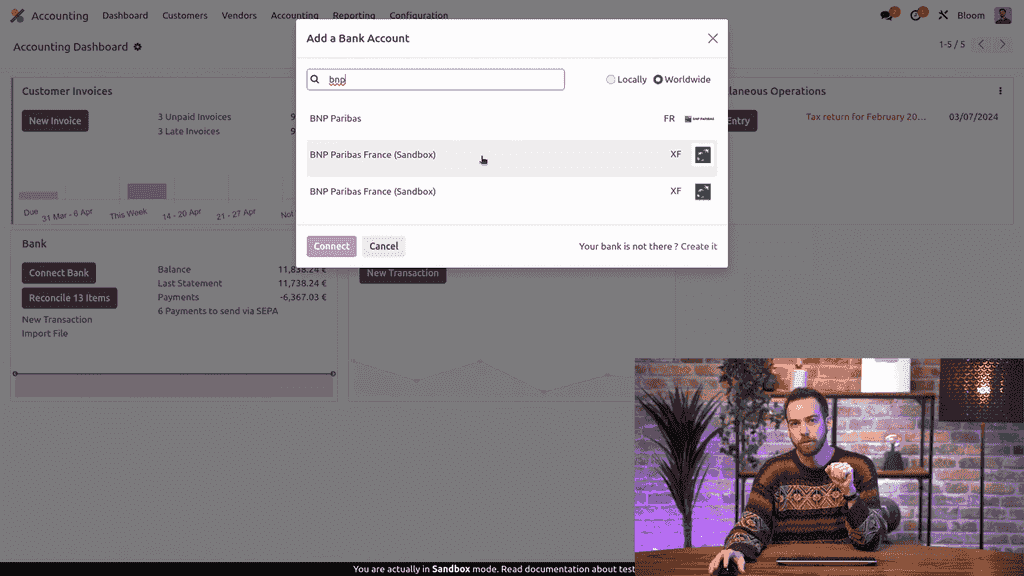
  1. From the Accounting Dashboard, click Connect Bank

Connect Bank button on the accounting dashboard

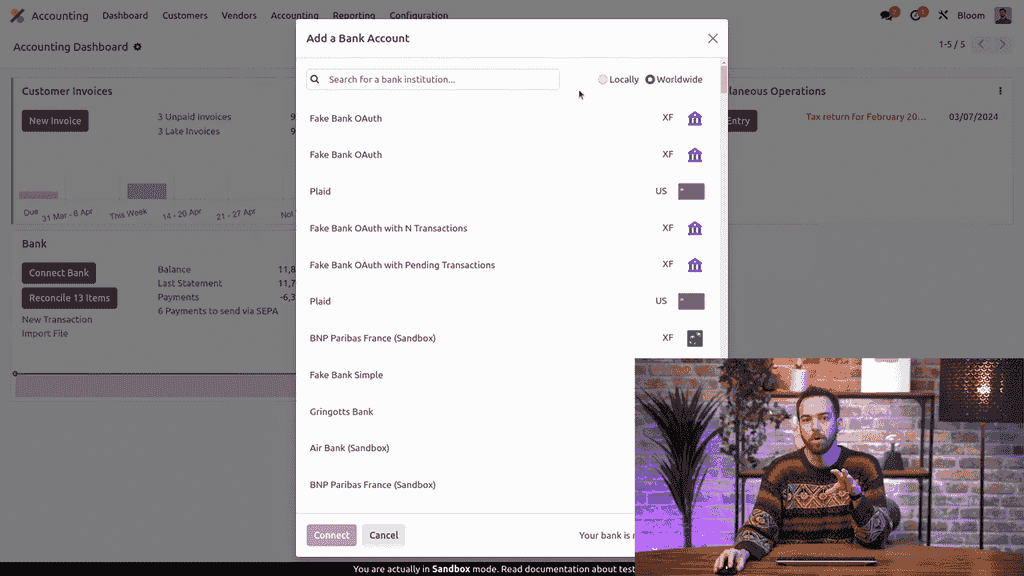
  1. Choose your region — locally or worldwide

Region selection showing locally and worldwide options

  1. Search for your bank institution
  2. Select your bank and follow the authentication steps

Bank institution search results

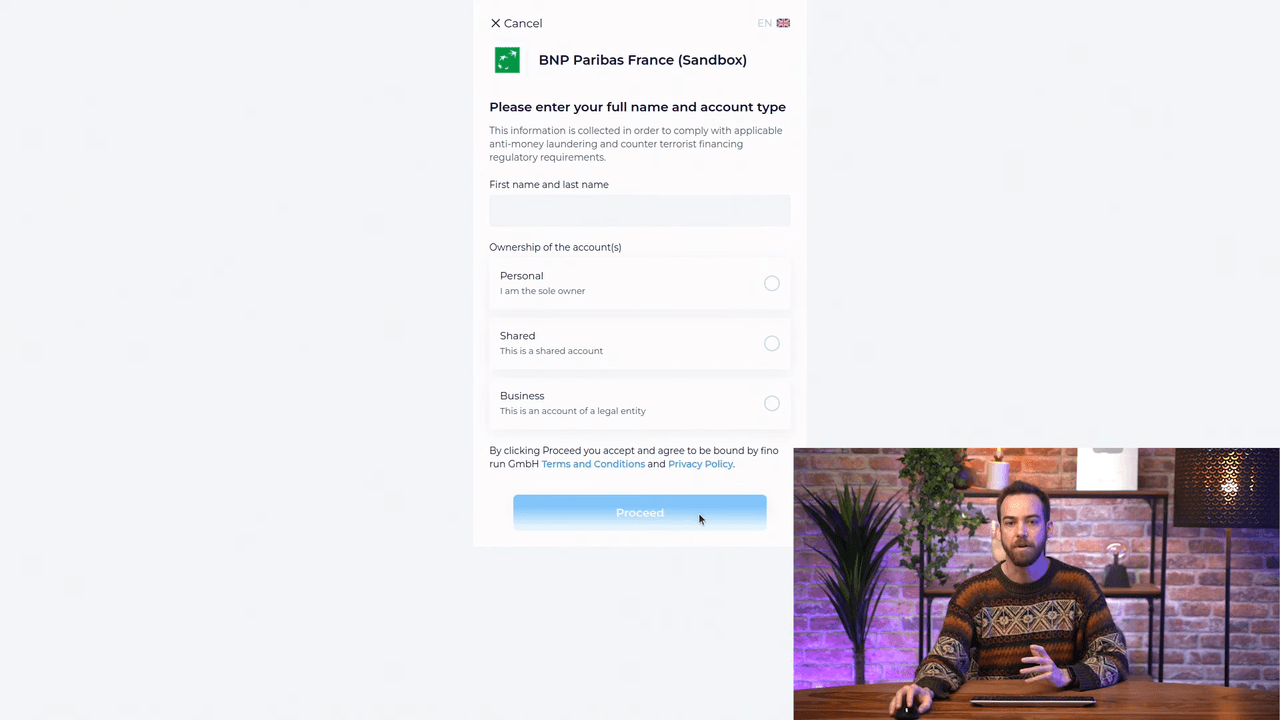
  1. Confirm the configuration and proceed

Bank synchronization configuration confirmation page

Once connected, Odoo automatically pulls your bank transactions into the system on a regular schedule. No more manual uploads or data entry.

Sandbox vs. Production

When testing, you can select the Sandbox option. For your live production database, always use the non-sandbox connection to ensure real transaction data flows correctly.

Which Method Should You Choose?

MethodBest ForEffort
File ImportInitial migration, periodic bulk uploadsMedium
Manual EntryOne-off corrections, occasional transactionsHigh
Bank SyncDaily operations, ongoing reconciliationLow

For most businesses, bank synchronization is the recommended approach. It eliminates manual work and ensures your records stay current automatically.

Next Steps

  • Set up bank synchronization for all your active bank accounts
  • Configure reconciliation models to auto-match common transactions
  • Review the Odoo Bank Synchronization documentation for provider-specific setup guides

References

Tags

OdooAccountingBank SyncReconciliation
Professional businesswoman working with data and analytics in modern office environment

Need Help with Odoo Implementation in Hong Kong?

Zoo AI is a certified Odoo partner in Hong Kong, delivering expert ERP implementation and AI automation for SMEs. Get in touch to learn more.