

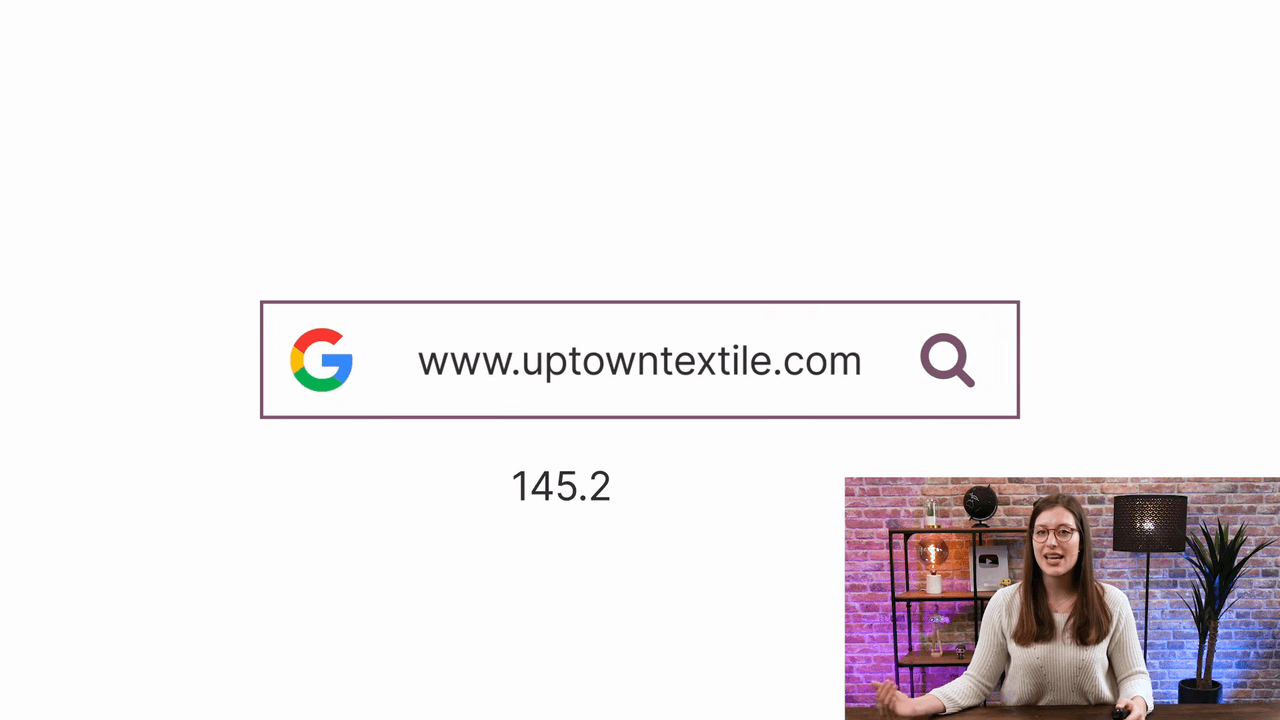
A domain name is the series of letters that identifies your website instead of displaying a raw IP address. It is the first thing visitors notice, so choosing the right one matters.
Here are three tips for picking a strong domain name:
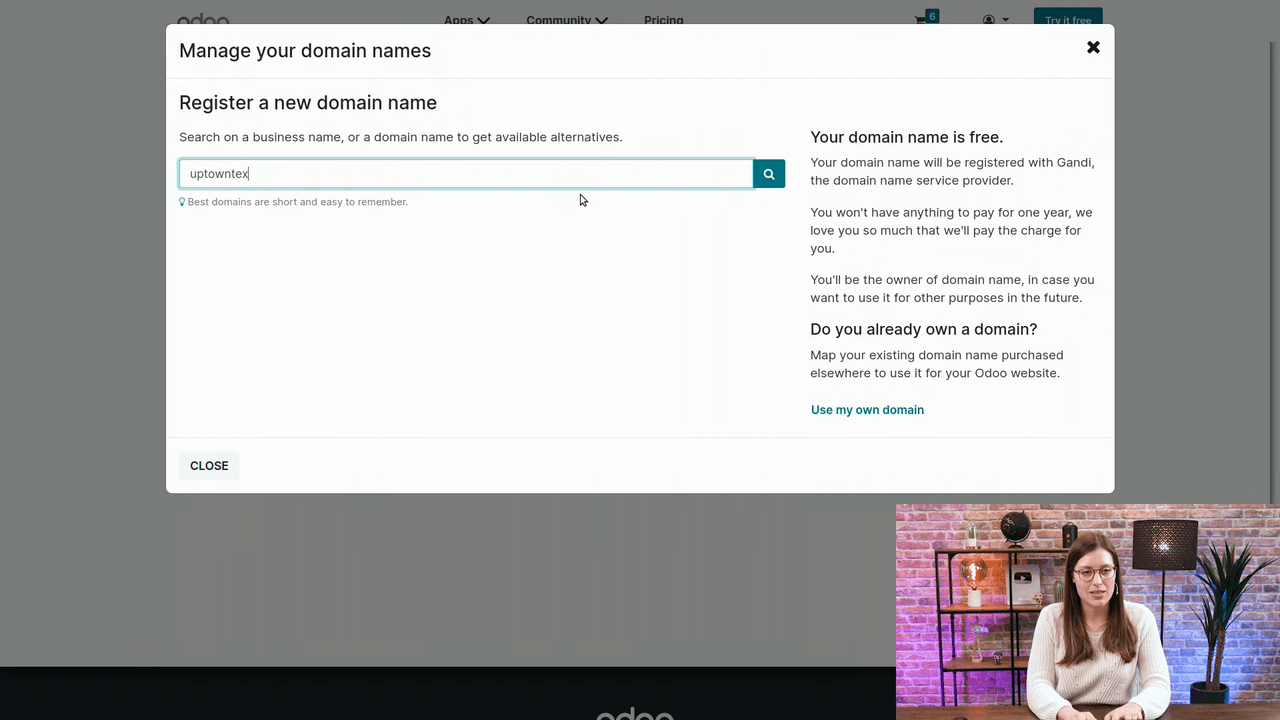
Yes. Odoo lets you register a domain name directly from the Website app at no extra cost. Behind the scenes, Odoo uses Gandi as the domain name service provider, but you handle everything from within Odoo's interface.
If you already own a domain name, you can map it to your Odoo website through the documentation. This guide focuses on registering a brand-new domain.
From your Odoo website editor, go to Promote > Domain Name. This redirects you to your odoo.com portal account. Log in if you are not already signed in.
Type the domain name you want (e.g., uptowntextile). You do not need to include www — that is a subdomain and is not required during registration.
Odoo will show available options such as .com and .net extensions.
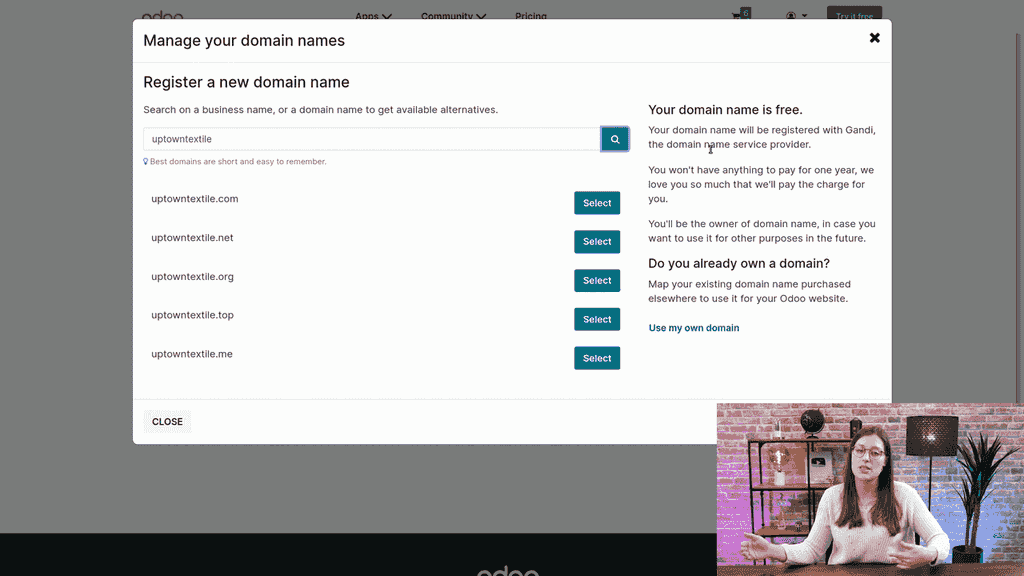
Choose the extension you prefer (.com is the most common) and click to proceed.
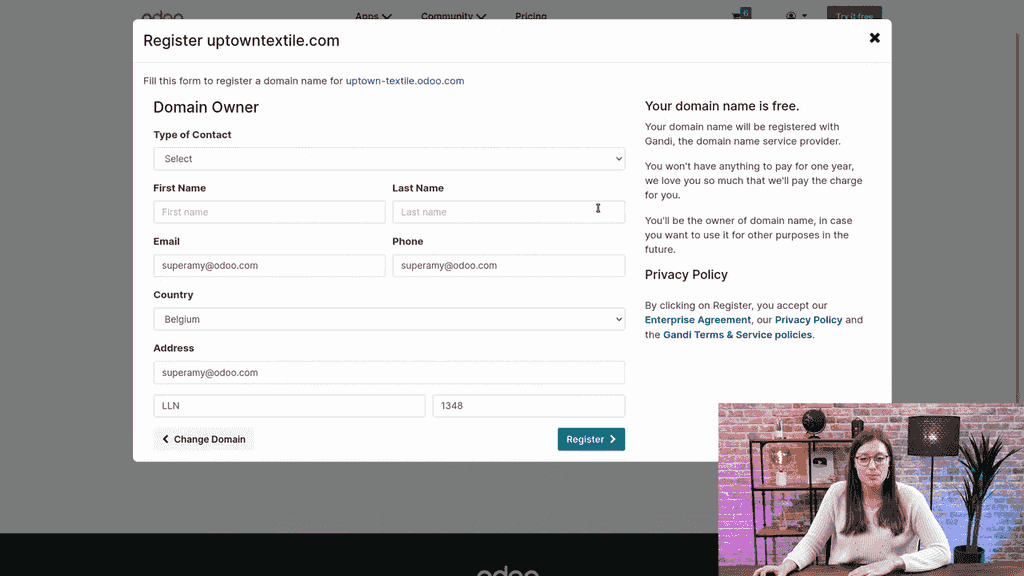
Complete the required fields:
| Field | Example |
|---|---|
| Company Name | Uptown Textile |
| Your Name | Your full name |
| Email Address | Must be valid — you will need it for confirmation |
| Phone Number | A reachable number |
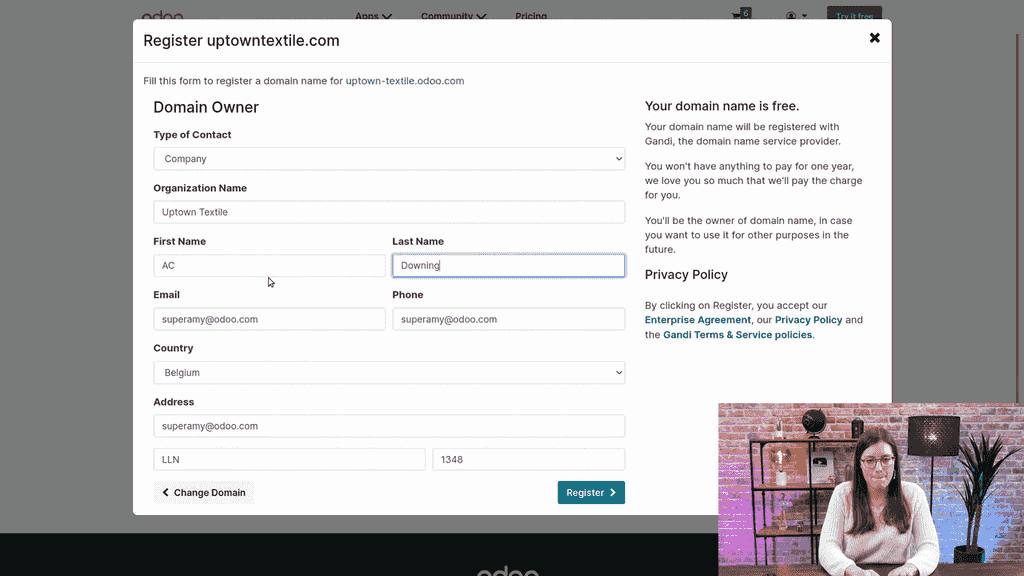
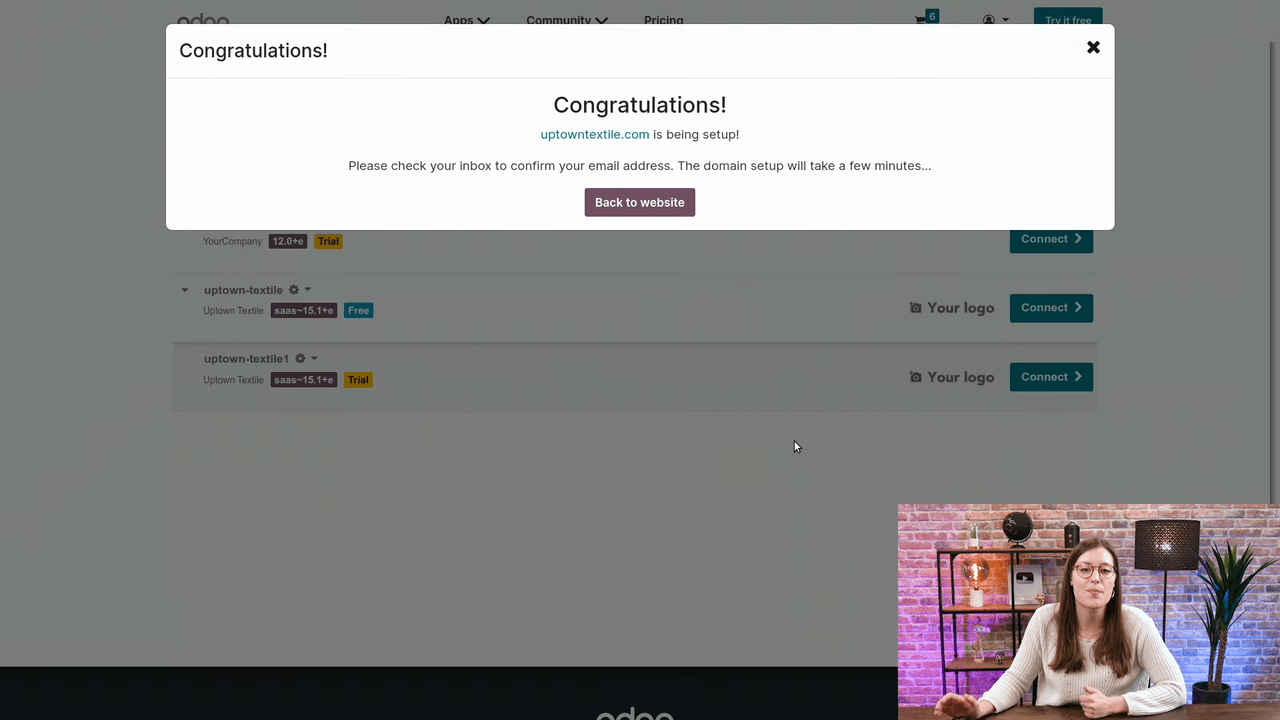
Click Register. Odoo begins setting up your domain. Check your email inbox for a confirmation message and verify your email address.
After confirmation, the domain becomes available within a few minutes.
Return to your odoo.com portal and navigate to Domain Names. Your newly registered domain should appear in the list. It is now linked to your Odoo website.
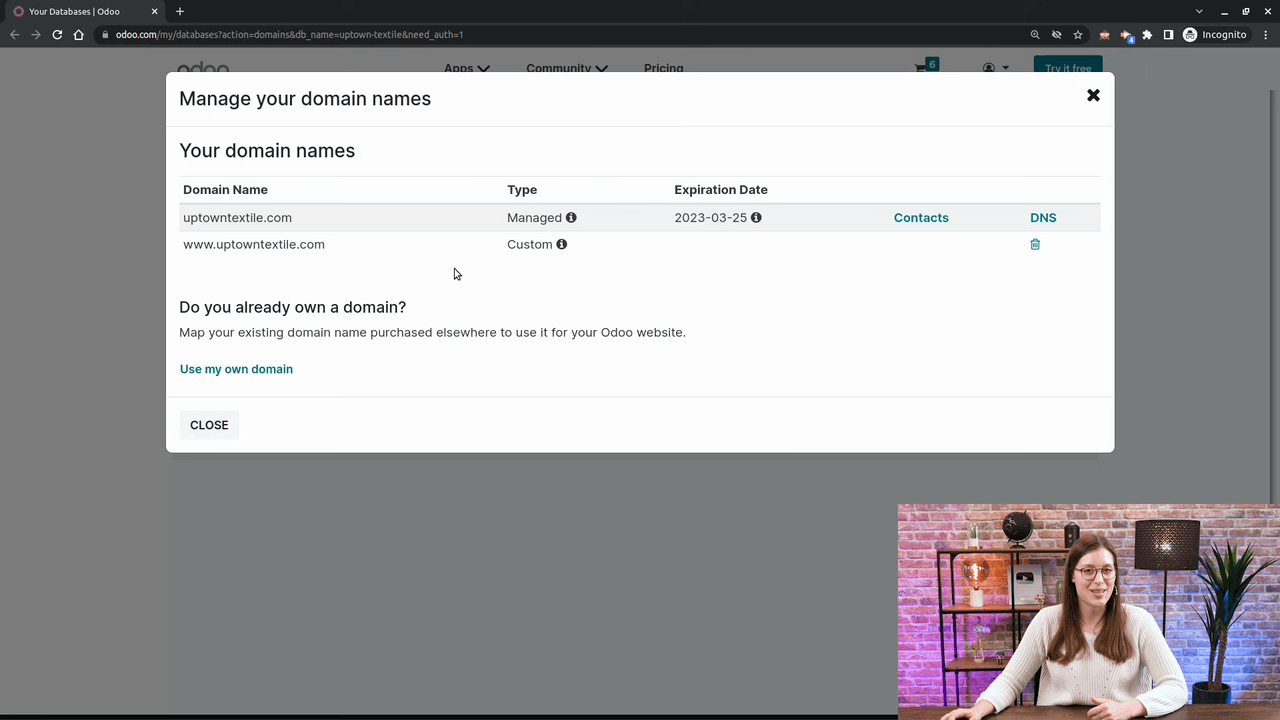
You may wonder about the www prefix. That is a subdomain — an additional string of letters placed before the domain name. While www is the most common subdomain, any series of letters can serve the same purpose. During domain registration in Odoo, you only need the base domain name.
A professional domain name is one of the simplest ways to make your website more credible and accessible. With Odoo, the entire process takes just a few minutes and costs nothing.

Zoo AI is a certified Odoo partner in Hong Kong, delivering expert ERP implementation and AI automation for SMEs. Get in touch to learn more.