

Running an indoor climbing gym involves far more than setting routes and opening the doors. Day passes, memberships, waiver collection, gear retail, staff scheduling, community events — each area requires its own management process. Relying on multiple disconnected tools or spreadsheets leads to inefficiency and data inconsistencies.
Odoo is an open-source business management platform with over 80 integrated apps. For climbing gym operators, this means one platform covers membership management, digital waivers, POS retail, inventory procurement, website management, and staff scheduling. Data flows automatically between modules without manual imports or exports.
This guide walks through how each Odoo app addresses the real operational needs of a climbing gym, from front desk ticketing to back-office management.
A climbing gym's revenue typically comes from day passes, punch passes, and monthly memberships. Odoo provides two apps to handle these different sales types.
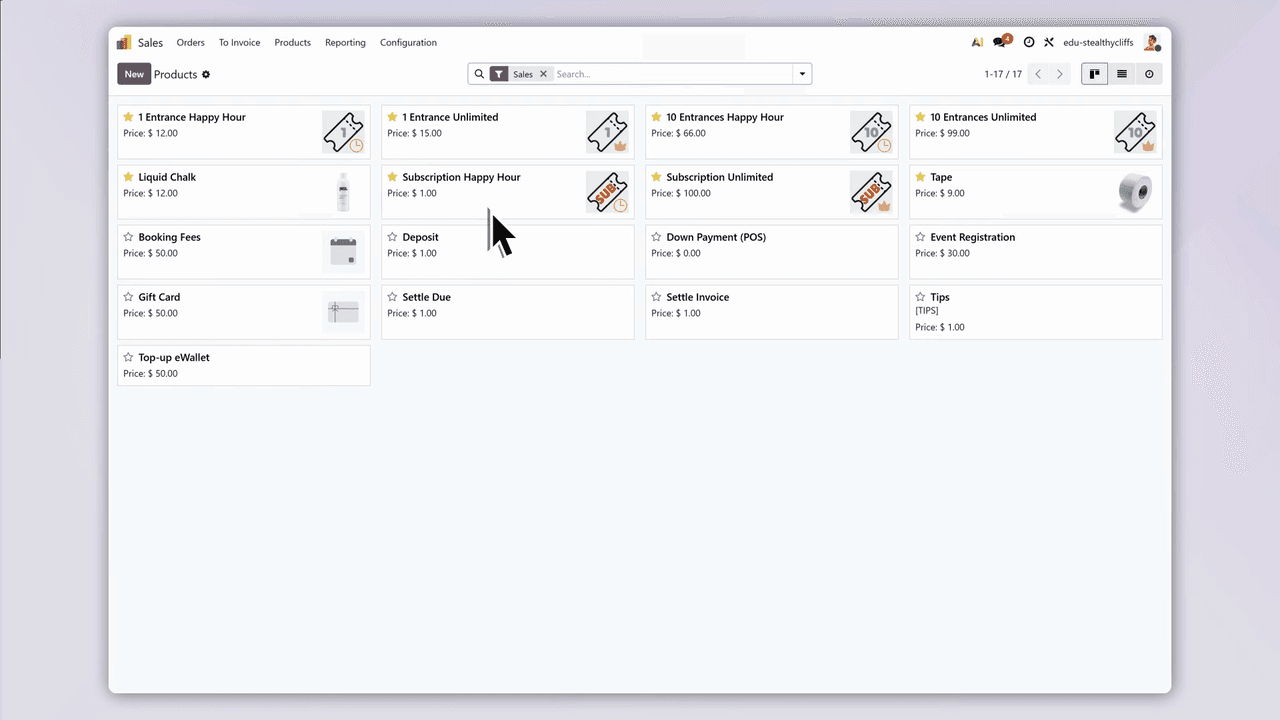
Use the Odoo Sales app to process day pass purchases instantly. The workflow takes just a few steps, and every transaction syncs automatically with customer records and accounting. This suits walk-in visitors and tourists who need a single-use entry.

For climbers who visit regularly but prefer flexibility over a fixed monthly commitment, the Subscriptions app handles punch passes. Customers purchase a set number of sessions and use them on their own schedule. The same app manages monthly memberships with automated recurring billing.
| Pass Type | Best For | Odoo App |
|---|---|---|
| Day Pass | Walk-ins, tourists | Sales |
| Punch Pass | Regular visitors with flexible schedules | Subscriptions |
| Monthly Membership | Dedicated climbers training consistently | Subscriptions |
Every sale, customer record, and payment status syncs automatically across the system. No duplicate data entry required.
Most climbing gyms require customers to sign a liability waiver before their first session. Paper forms are easy to lose, difficult to archive, and slow down the check-in process. Odoo Sign digitizes the entire workflow.
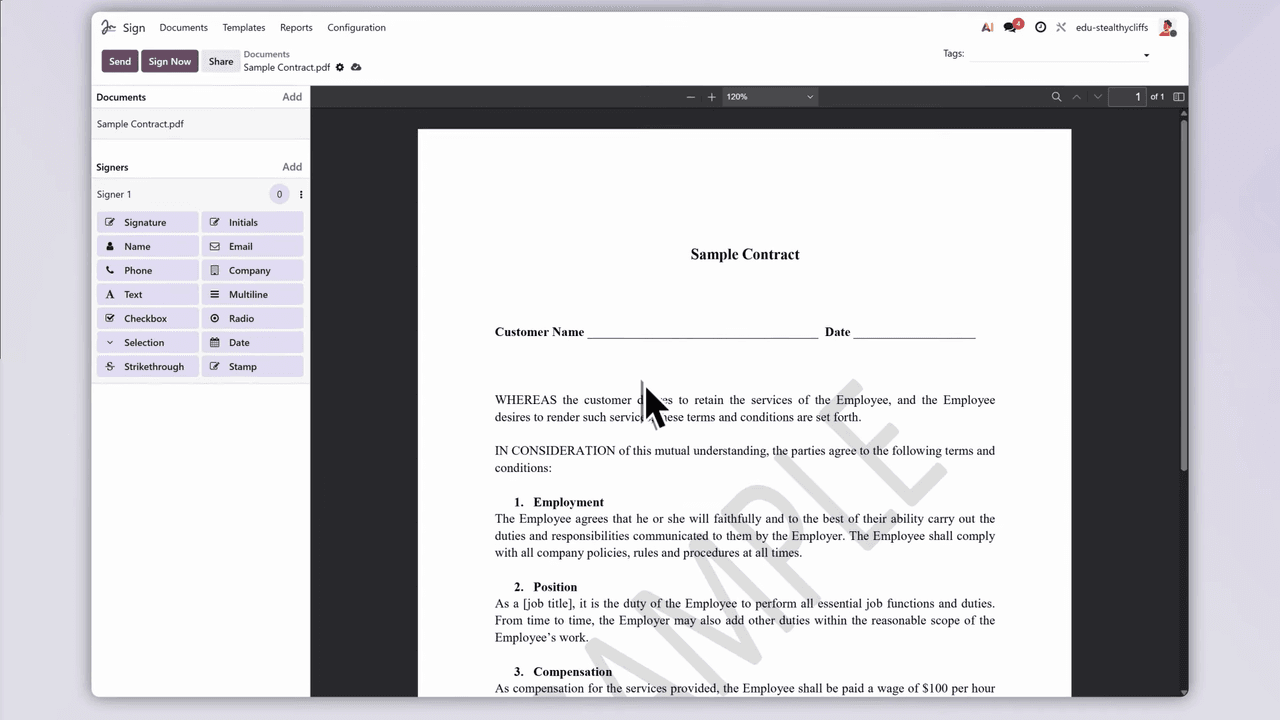
No more paper forms or filing cabinets. Front desk staff can check any customer's waiver status instantly, making the check-in process smoother.
The Contacts app serves as the central database for all customer information. Opening a single customer profile shows:
All information is displayed on one page. Front desk staff do not need to switch between multiple systems. Customer queries can be resolved in seconds.
Climbers frequently purchase chalk, rent climbing shoes, grab energy bars, or buy drinks. The Odoo Point of Sale (POS) app handles these on-site retail transactions.
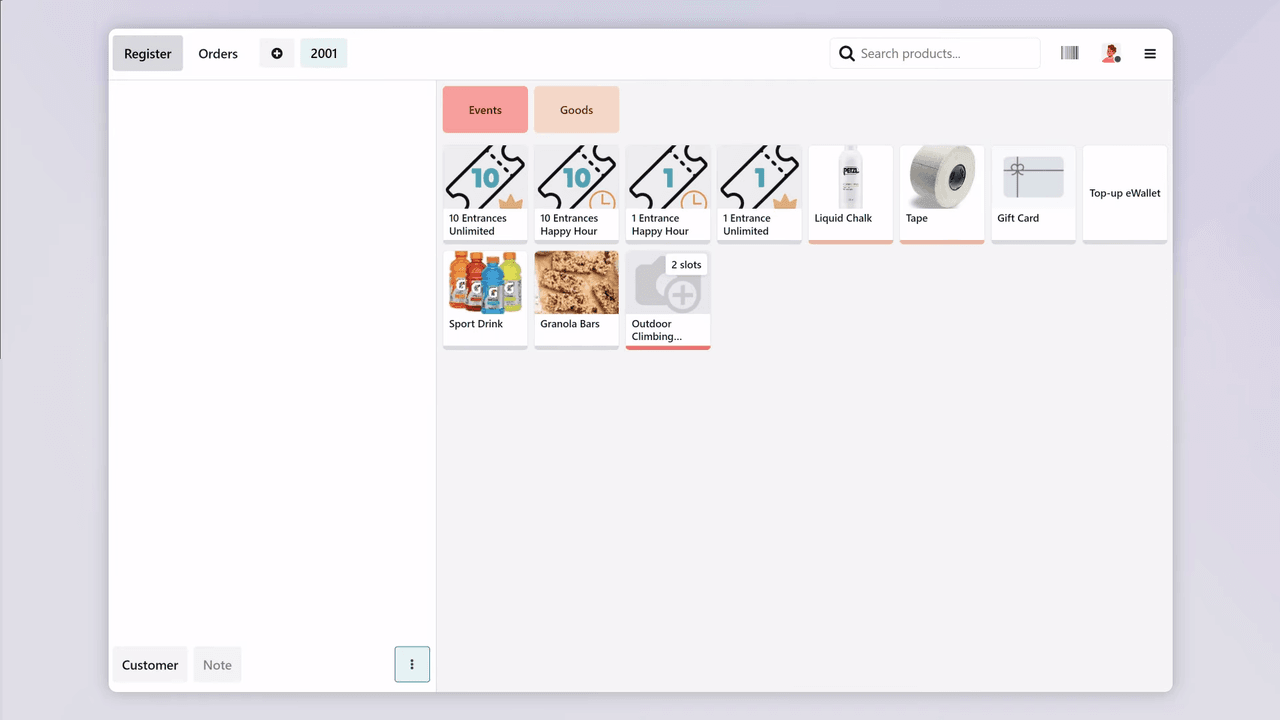
After each transaction, inventory and accounting update in real time. Management can use POS reports to analyze which products sell best and identify peak sales periods.
Running out of chalk or energy bars directly impacts the customer experience. The Odoo Purchase app works with the Inventory module to keep retail products and operational supplies in stock.
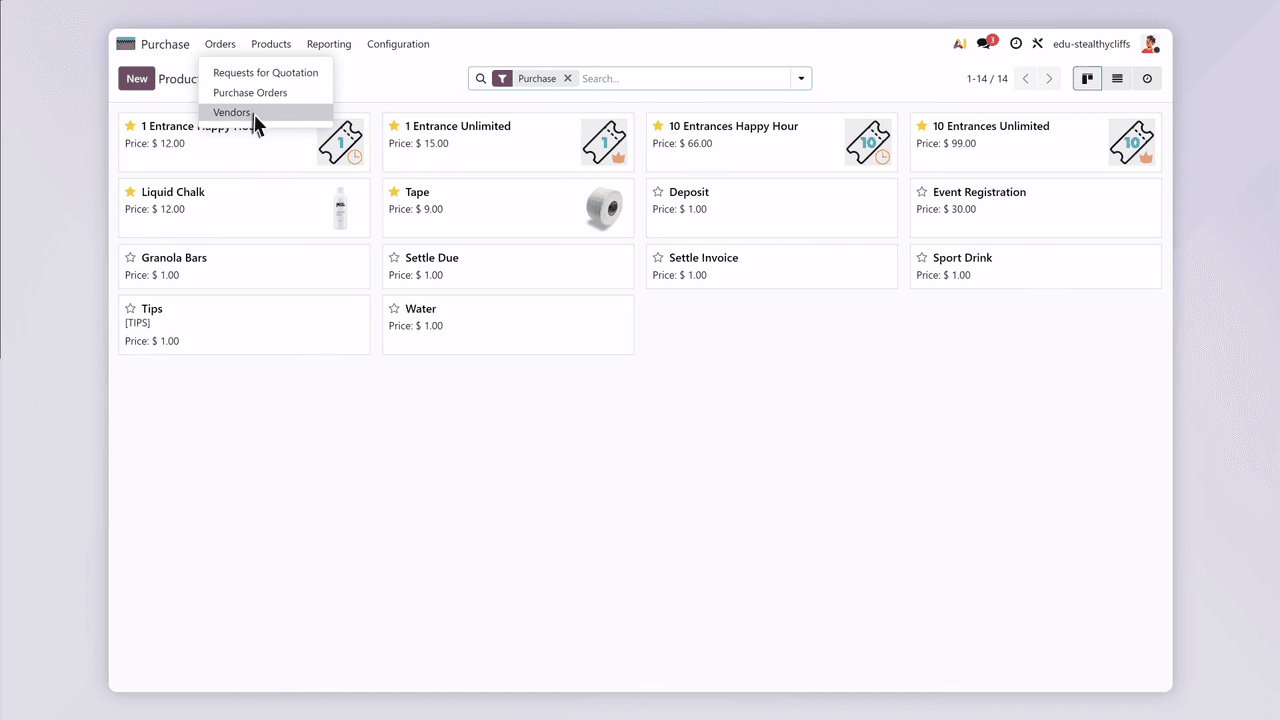
Centralize all vendor information in one place:
From climbing shoes and chalk to snacks and drinks, inventory status is always visible at a glance.
Long-term growth for a climbing gym depends on building a strong community. Odoo's Website and Events apps help establish an online presence and organize community activities.
Use the Odoo Website builder to create a professional climbing gym website without coding:
Organize and promote various activities through the Events app:
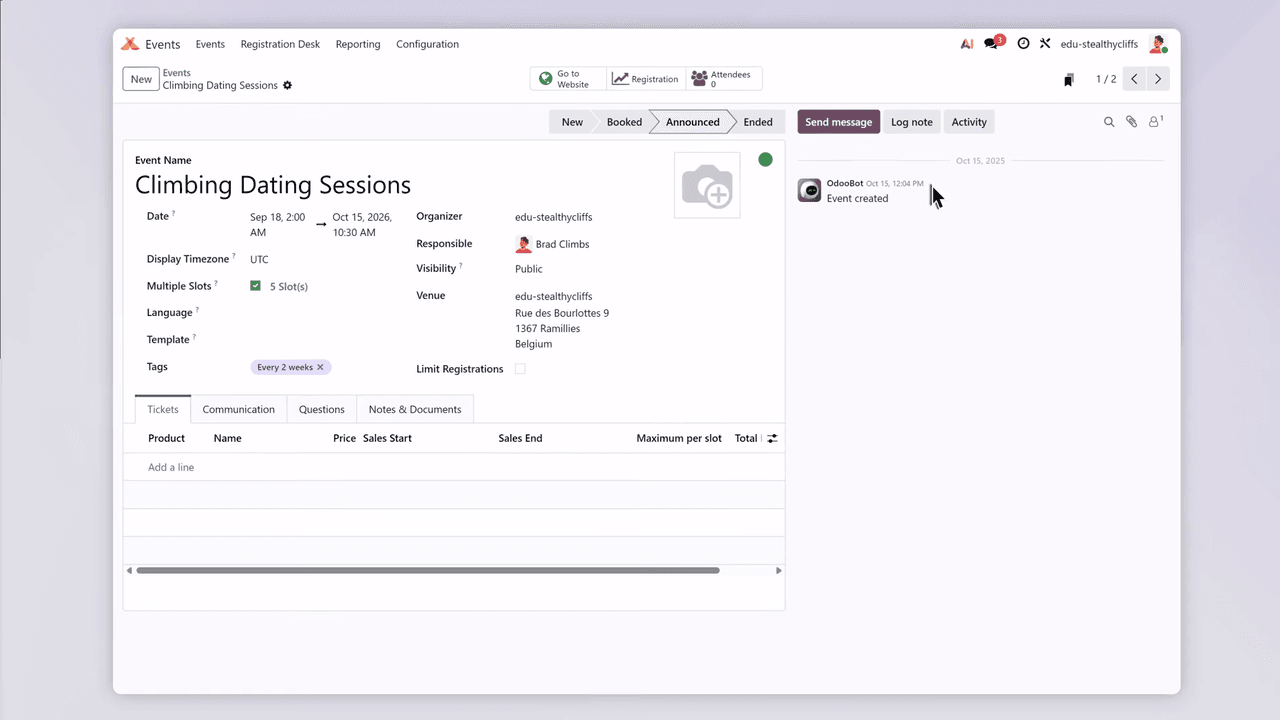
Event pages integrate seamlessly with the website. Participants can browse event details, register, and pay online — all on the same platform. Registration data syncs automatically to the Contacts app for follow-up communication.
Climbing gyms typically operate from morning to late evening, making shift scheduling a time-consuming administrative task. The Odoo Planning app simplifies the entire process.
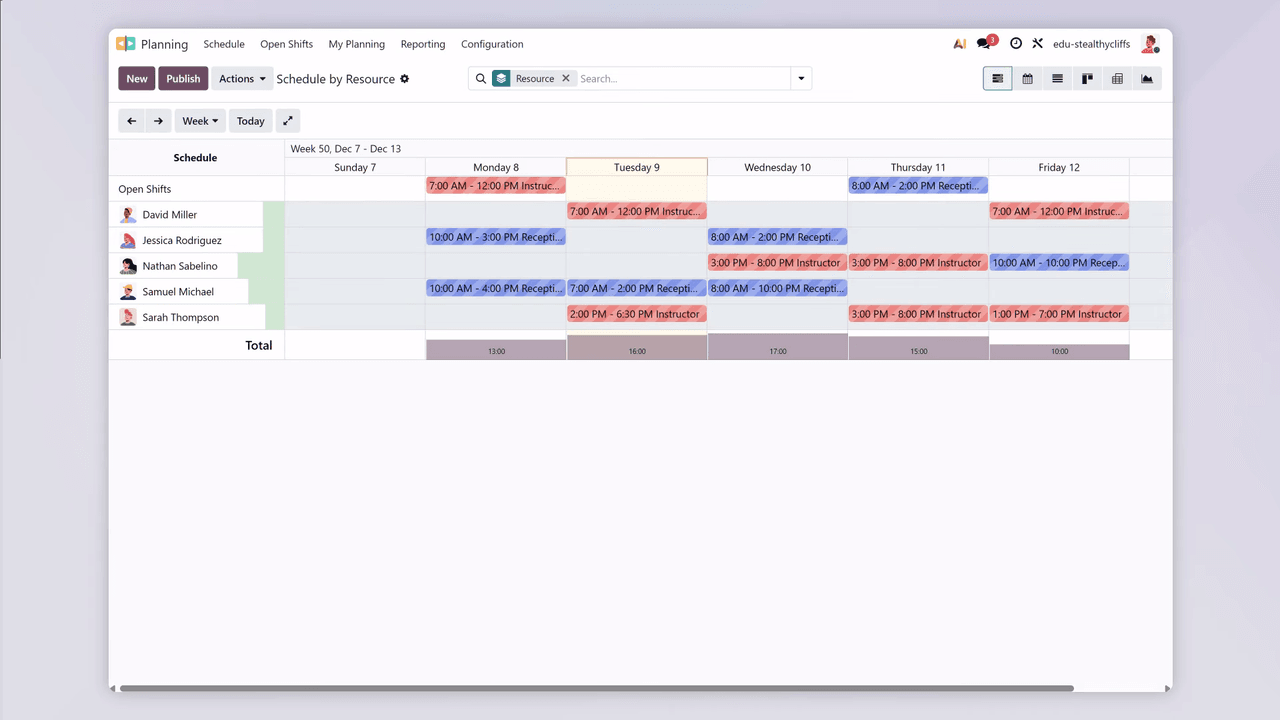
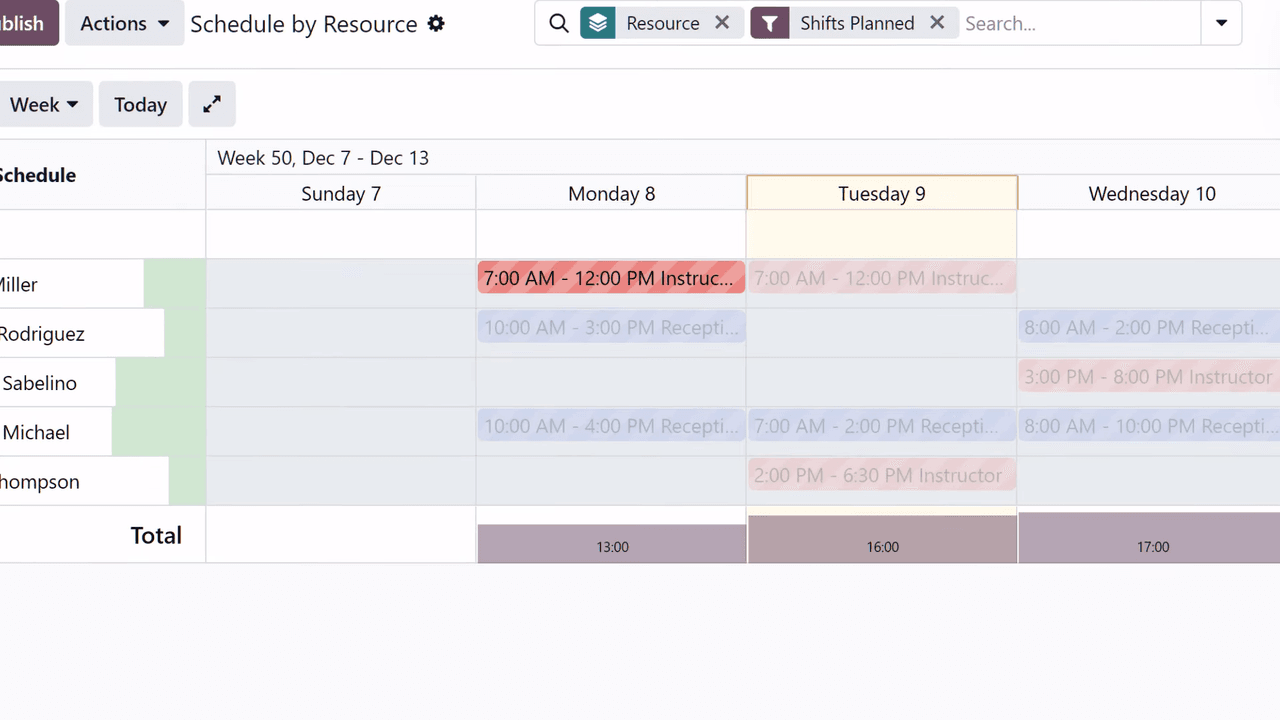
When you need to finalize schedules quickly, the auto-plan feature generates a complete schedule based on each employee's role and availability. Spend less time on administration and more time on operations and customer service.
The core advantage of Odoo is the data connection between apps. Here is how different modules collaborate automatically in daily climbing gym operations:
| Scenario | Apps Involved |
|---|---|
| Customer buys a punch pass | Sales → Contacts → Accounting |
| New customer signs a waiver | Sign → Contacts |
| Front desk sells chalk and drinks | POS → Inventory → Accounting |
| Retail stock runs low | Inventory → Purchase |
| Customer registers for a competition online | Website → Events → Contacts |
| Employee checks next week's shifts | Planning → Employees |
All data flows within one platform. No manual transfers between separate software. The customer data seen at the front desk, the transaction records in accounting, and the stock counts in the warehouse are all the same data, synced in real time.
These configurations can further improve climbing gym operations:
Managing a climbing gym involves multiple operational areas, but that does not require multiple disconnected systems. Odoo's integrated platform handles membership management, waivers, retail sales, inventory procurement, website events, and staff scheduling from one system.
Data flows automatically between modules, reducing manual entry and duplicate work. Operators can devote more time to improving the climbing experience and building community instead of handling administrative tasks.
If you are evaluating an all-in-one management system for your climbing gym, contact us to discuss Odoo implementation options and costs.

Zoo AI is a certified Odoo partner in Hong Kong, delivering expert ERP implementation and AI automation for SMEs. Get in touch to learn more.